How Can You Collect Customer Feedback: 9 Easy Strategies

Quick Answer: How can you collect customer feedback? You can do it through surveys (NPS, CSAT, post-purchase), on-site feedback forms and widgets, support ticket and helpdesk interactions, social media monitoring, customer reviews, focus groups, and one-on-one interviews. The right mix depends on your business size, channel, and whether you need quick pulse checks or deep qualitative insightCustomers expect businesses to listen and respond when something goes wrong. Zendesk reports that 73% of consumers will switch to a competitor after multiple bad experiences.
So how can you collect customer feedback in a way that actually catches these issues before they cause churn? For WordPress and WooCommerce businesses, learning how can you collect customer feedback effectively helps uncover recurring support issues, customer frustrations, and opportunities to improve the overall experience.
If you manage a support team or WooCommerce store, knowing how can you collect customer feedback helps you identify problems before they lead to churn. This guide walks through 9 practical, current methods that answer exactly how can you collect customer feedback — including strategies specific to support tickets and helpdesk workflows — along with a comparison table, response-rate tips, and mistakes to avoid.
Table of Contents
What Is Customer Feedback and Why It Matters
Customer feedback is any information customers share about their experience with your product, service, or support — whether you ask for it directly (a survey) or they offer it voluntarily (a review or social media comment). There are several types of customer feedback, ranging from active feedback like surveys to passive signals like support ticket mentions and community forum posts.
Collecting feedback consistently helps you improve customer satisfaction, reduce churn, and refine your product roadmap based on real usage rather than assumptions. It also functions as an early warning system: Zendesk’s research indicates that more than half of consumers may switch to a competitor after just one bad experience which underscores how bad customer service affects your business. Feedback collection is one half of the equation; understanding the voice of the customer as a continuous practice, rather than a one-off project, is what separates businesses that improve from those that stagnate.
How Can You Collect Customer Feedback: Choosing the Right Method
Not every method fits every situation. Surveys work well for measuring satisfaction at scale, while interviews and focus groups work better for deep, qualitative insight on a smaller sample. Support ticket and helpdesk feedback is the most direct way to measure service quality at the individual interaction level. Match the method to what you’re trying to learn: broad sentiment, specific transaction quality, or product direction.
How Can You Collect Customer Feedback: 9 Practical Strategies

Below are some of the effective strategies how can you collect customer feedback.
1. Customer Surveys (NPS, CSAT, and Post-Purchase)
Surveys remain the most structured way to collect feedback at scale. Three formats matter most:
- NPS (Net Promoter Score): Asks customers how likely they are to recommend you (0–10 scale), sorting them into Promoters, Passives, and Detractors.
- CSAT (Customer Satisfaction Score): Measures satisfaction with a specific interaction, typically on a 1–5 scale; a good CSAT score generally falls between 70% and 85% (https://www.surveymonkey.com/learn/customer-feedback/what-is-good-csat-score/).
- Post-purchase surveys: Sent shortly after a WooCommerce order or delivery to capture fresh impressions of the buying experience.
For timing, send transactional surveys (tied to a specific purchase or ticket) soon after the interaction rather than waiting for a scheduled batch — the experience is still fresh in the customer’s mind. Keep the core question single and neutral, then offer one optional open-text field for context. Response rates vary substantially by audience and channel, so focus more on consistent collection and representative feedback than on chasing a universal benchmark.
WooCommerce example: Trigger a one-question CSAT survey via email three days after order delivery, asking “How satisfied were you with your recent purchase?” with an optional comment field.
2. Support Ticket and Helpdesk Feedback
Every support ticket is a feedback opportunity. When a customer contacts support through a customer service email templates-driven workflow or a live chat, their language, tone, and the nature of their issue reveal patterns your surveys might miss. Reviewing recurring ticket categories — shipping delays, billing confusion, plugin conflicts — surfaces systemic issues faster than periodic surveys.
Support Genix includes customer feedback and satisfaction-rating capabilities that support teams can use alongside ticket analytics to evaluate service quality. This ties feedback directly to agent performance and ticket categories rather than relying on a generic company-wide survey.
3. On-Site Feedback Forms and Widgets
On-site feedback widgets are short, contextual prompts embedded directly inside a page — a small rating scale plus an optional comment box that appears without the visitor leaving the page. Place them on high-traffic pages like checkout, product pages, or a support portal.
On WordPress, plugins like WPForms or Contact Form 7 can embed these; for WooCommerce stores, the order confirmation or thank-you page tends to get the highest response.
Keep on-site widgets minimal — one question and an optional comment box performs better than a multi-page form, since site visitors have less patience than email survey recipients.
4. In-App and In-Product Feedback Prompts
For SaaS products or membership sites built on WordPress, in-app feedback prompts (a small popup or slide-in asking for a quick NPS or CSAT rating) catch users exactly when they’re engaging with a specific feature. In-app surveys tend to perform well because the moment is still present in the user’s mind.
5. Online Forms and Standalone Surveys
Unlike on-site widgets, standalone forms live on a separate URL and are meant for longer or more structured research — such as a detailed post-support survey or an annual customer experience review, built with tools like Google Forms, Typeform, or Jotform.
Keep standalone surveys focused and ask only the questions you genuinely need. Longer surveys create more friction, so use optional open-ended questions instead of making every response mandatory.
6. Social Media Monitoring and Listening
Customers frequently share opinions on Facebook, Instagram, X, and LinkedIn without being asked. Monitoring comments, mentions, and direct messages using tools like Hootsuite or Sprout Social surfaces unsolicited feedback you’d otherwise miss.
Respond promptly to negative comments and publicly acknowledge positive ones — this reinforces the customer engagement strategies that build long-term loyalty, since public responses shape how prospective customers judge a brand before they ever make contact.
7. Customer Reviews
Reviews on Google, Trustpilot, or industry-specific platforms are a structured, always-on feedback source. Monitor for recurring themes across reviews rather than reacting to isolated comments, and reply to both positive and negative reviews to show customers their input is heard.
For WooCommerce stores, native product reviews double as both social proof and a feedback channel — track which products get repeated complaints about sizing, shipping, or quality.
8. Focus Groups and One-on-One Interviews
Focus groups and one-on-one interviews provide qualitative depth that surveys can’t match. A focus group (5–10 participants guided by a moderator) surfaces nuanced reactions to a new feature or pricing change; one-on-one interviews work better for probing an individual customer’s journey in detail. Both require more time and a smaller sample, so pair them with quantitative methods like surveys rather than relying on them alone.
9. Feedback Boxes and Passive Collection Channels
Feedback boxes are passive collection channels — no active survey prompt is shown, and the customer chooses on their own to leave input whenever something stands out to them. These work best for page-specific insight — a feedback box on a pricing page reveals different concerns than one on a support article.
Support Genix
WordPress Support Ticket Plugin
Take Your Customer Support to The Next Level and Boost Customer Satisfaction Rates
Method Comparison: Which Strategy Fits Which Situation
| Method | Best For | Sample Size | Effort Level |
|---|---|---|---|
| NPS/CSAT surveys | Measuring loyalty and transaction satisfaction at scale | Large | Low (once automated) |
| Support ticket feedback | Measuring agent/ticket quality, spotting recurring issues | Medium–Large | Low (built into helpdesk) |
| On-site/in-app widgets | Capturing in-the-moment reactions on specific pages/features | Large | Low |
| Standalone online forms | Detailed post-support or annual reviews | Medium | Medium |
| Social media monitoring | Unsolicited sentiment, brand reputation | Large | Medium |
| Customer reviews | Ongoing product/service quality signal | Large | Low–Medium |
| Focus groups | Deep qualitative insight on new features/pricing | Small | High |
| One-on-one interviews | Individual customer journey depth | Small | High |
| Feedback boxes | Passive, page-specific input | Varies | Low |
Tips for Increasing Feedback Response Rates
- Send surveys through the channel your customers already use — email, in-app, or SMS — since matching channel to context improves response.
- Keep the core question to one, with an optional follow-up for context, rather than a long questionnaire.
- Trigger surveys close to the moment of interaction (right after a purchase or ticket resolution) rather than in scheduled batches.
- Personalize the request and explain briefly why the feedback matters and how it will be used.
- Close the loop by telling customers what changed because of their input — this encourages future participation.
Common Mistakes to Avoid When Collecting Feedback
- Sending long, generic surveys with no clear purpose, which drives abandonment.
- Collecting feedback but never acting on it or communicating changes back to customers.
- Relying on a single method (e.g., only email surveys) instead of combining quantitative and qualitative sources.
- Ignoring passive feedback sources like support tickets and social media in favor of only formal surveys.
- Pressuring customers into leaving only positive reviews, which skews your data and damages trust.
Closing the Feedback Loop
Collecting feedback is only half the job — what you do with it determines whether the effort pays off. Once feedback is in hand, categorize it by theme, prioritize issues by frequency and severity, and route insights to the right team (product, support, or marketing).
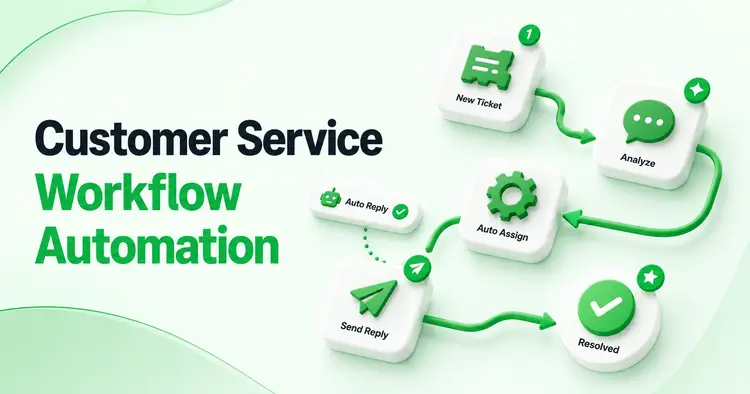
For support-specific feedback, tools like Support Genix help centralize ticket history and post-resolution ratings so managers can spot patterns in customer service workflow automation without manually cross-referencing spreadsheets.
Learn more about how to respond to customer feedback once it’s collected, since the response itself shapes whether customers bother giving feedback again.
For teams still relying on a shared inbox, pairing feedback collection with a proper email ticketing system makes it far easier to tag, route, and follow up on feedback that arrives through support channels rather than losing it in a crowded inbox.
Frequently Asked Questions
Q1: What is the best method to collect customer feedback?
There’s no single best method — it depends on your goal. Use NPS or CSAT surveys for broad satisfaction tracking, support ticket feedback for service quality, and interviews or focus groups for deep qualitative insight.
Q2: How often should I collect customer feedback?
Collect feedback continuously at relevant customer touchpoints rather than relying on one large survey. Transactional feedback can follow purchases or support interactions, while broader relationship surveys can be sent less frequently.
Q3: What’s the difference between NPS and CSAT?
NPS measures overall loyalty and likelihood to recommend your business, while CSAT measures satisfaction with a single, specific interaction or transaction.
Q4: How can I encourage customers to give feedback?
Make the process short and convenient, explain why their input matters, and show that past feedback led to real changes. Triggering the request right after a relevant interaction, such as a purchase or resolved ticket, also improves response
Q5: How do I handle negative feedback?
Acknowledge it without defensiveness, take responsibility, offer a specific resolution, and follow up once the issue is resolved. Treat negative feedback as a diagnostic tool, not just a complaint to close out
Can support tickets be used as a feedback source?
Yes — support tickets contain some of the most direct, unfiltered feedback available, since customers describe real problems in their own words. Reviewing recurring ticket categories often reveals product or process issues faster than periodic surveys.
Conclusion
Collecting customer feedback works best as a layered system: quick pulse surveys for scale, support ticket and helpdesk feedback for service quality, and interviews or focus groups for depth.
If you’re still wondering how can you collect customer feedback in a way that fits your team, start with one or two methods that match your current resources, then expand as you build a habit of closing the loop on what you learn that habit, more than any single tool, is what turns feedback into measurable improvement.