5 Best Email Ticketing System Plugins for WordPress

Quick Answer: Support Genix and Fluent Support are the strongest choices for most WordPress sites needing email-to-ticket conversion in 2026. Support Genix suits WordPress and WooCommerce sellers; Fluent Support suits teams already in the Fluent ecosystem. SupportCandy is the best option for teams that need true IMAP-native piping. Awesome Support works if you need a large add-on library. All 5 require a paid plan or add-on for email piping.
Every support team has the same problem: customers keep emailing you instead of using your ticket form. A WordPress email ticketing plugin solves this by automatically converting those emails into organized tickets you manage inside your WordPress dashboard — without asking customers to change their behavior.
This guide compares 5 native WordPress ticketing plugins that can convert incoming emails into support tickets. We focus specifically on the email-to-ticket workflow, setup requirements, pricing, and meaningful limitations — not on generic feature lists.
Table of Contents
Key Takeaways
- Email-to-ticket functionality, the ability to turn customer emails into tickets automatically, is a Pro or paid add-on feature in all five plugins compared here. No plugin offers it free.
- The email-piping methods differ: Support Genix and Fluent Support use email forwarding via a cloud relay. SupportCandy and Awesome Support use IMAP or API connections directly to your inbox.
- WATS (WordPress Advanced Ticket System) has very low adoption (200+ installs) and sparse current documentation. It is included for completeness but is not recommended for new deployments.
- WooCommerce users should check whether a plugin handles WooCommerce order data inside ticket threads — Support Genix and Fluent Support both document this integration.
- Multiple-inbox support (routing emails from different addresses into separate queues) is available in all 5 main plugins but usually requires configuration and a paid plan.
How We Compared These WordPress Email Ticketing Plugins
We compared these plugins using their documented email-to-ticket capabilities, WordPress workflow, setup requirements, agent and inbox features, integrations, pricing, and limitations.
Product and pricing information was checked against official sources on August 6, 2026. We did not conduct hands-on testing — all observations are drawn from official documentation. We did not treat ordinary email notifications (outbound alerts that a ticket exists) as email-ticketing functionality.
A plugin qualifies for this list only if it: operates primarily inside WordPress, provides a genuine support-ticket workflow, and can create or update tickets through incoming emails via forwarding, IMAP, API, or a documented equivalent that is currently maintained.
Comparison Table
| Plugin | Email-to-ticket method | Free / Pro | Multiple inboxes | Starting price | Best for | Main limitation |
|---|---|---|---|---|---|---|
| Support Genix | Email forwarding → mailbox (Modern method); IMAP-based piping (Traditional method) | Pro only | Yes — unlimited mailboxes (Pro) | $59/half-year (5 sites); $149/yr (100 sites) | WordPress/WooCommerce sellers; Elite Licenser users | Email-to-ticket is Pro-only; free tier has no piping |
| Fluent Support | Email forwarding via cloud service (no direct IMAP fetch) | Pro only | Yes — multiple business inboxes (Pro) | $129/yr (1 site, regular price) | Teams already using the Fluent ecosystem (FluentCRM, etc.) | Forwarding-only; plugin cannot delete emails from the mail server; requires cloud relay |
| SupportCandy | IMAP, Gmail API, or Microsoft Exchange API (paid add-on) | Free core; paid add-on required for piping | Yes — via forwarding rules | $79/yr Personal (regular, 1 site) | Teams that want IMAP-native piping and broad inbox support | Email piping requires a paid plan (not available on free tier) |
| Awesome Support | IMAP/POP3 (dedicated inbox required; separate paid add-on) | Free core; paid add-on required for piping | Yes — multiple mailboxes (add-on) | $149/yr Standard bundle (includes Email Support add-on) | Add-on-heavy power users; organizations with complex inbox rules | Complex add-on model; dedicated IMAP inbox required; no Gmail OAuth; IMAP ports must be open |
| WATS (WP Advanced Ticket System) | Email piping (Premium only); method not fully documented in current version | Free core; Premium required for piping | Not clearly documented | Not clearly documented (Premium pricing) | Very small sites with minimal requirements | Only 200+ active installs; last updated Feb 2025; limited documentation; no public Premium pricing |
Prices shown are regular prices, not promotional rates. Promotional discounts were active for Fluent Support and SupportCandy at time of writing — verify current prices before publishing. Checked August, 2026.

The 5 Best Email Ticketing System Plugins for WordPress
Support Genix
SupportGenix is a WordPress-native support ticketing plugin built by HasThemes. It is a reasonable first look for WordPress and WooCommerce site owners who want email-to-ticket conversion managed from the WordPress dashboard, with no per-agent pricing and a flat-rate license model.
Email-to-ticket workflow
Support Genix calls its feature “Email to Ticket.” It works by connecting a mailbox to the plugin — you configure a support email address, and the plugin generates a forwarding address. Emails sent to your support address are forwarded to this mailbox address, where Support Genix converts them into tickets automatically.
Two setup methods are available:
- Modern method (recommended): Add a new mailbox inside Support Genix, then configure your email provider (Gmail, Outlook, Yahoo, or cPanel/hosting panel) to auto-forward incoming messages to the generated mailbox address. This is the simpler path.
- Traditional method: Uses cron-based email fetching for environments where forwarding is not available.
When a customer replies to a ticket notification email, that reply is added to the existing ticket thread — so the conversation stays in one place. Attachment support is documented for common formats. Unlimited mailboxes are available on Pro plans, allowing department or product routing.
Notable features relevant to email ticketing
- Unlimited mailboxes (Pro) for routing emails from multiple addresses
- Ticket auto-assignment rules to route tickets to agents based on mailbox, category, or other conditions
- WooCommerce integration to display order data inside ticket threads
- Elite Licenser integration for WordPress plugin and theme sellers (supports license verification in tickets)
- AI reply assistant (requires your own OpenAI or Claude API key)
- Ticket auto-close and auto-delete rules
Best for
WordPress plugin/theme sellers and WooCommerce store owners who want flat-rate pricing, Elite Licenser or WooCommerce order context in tickets, and multiple mailbox routing without per-agent costs.
Limitations
- Email-to-ticket is not available on the free (Lite) plan. The free version sends email notifications but cannot receive and convert incoming emails into tickets.
- The setup requires configuring email forwarding at the provider level — this is a one-time step but requires access to email account settings.
- No direct IMAP authentication in the Modern method — it relies on email forwarding, which means emails are processed by a relay rather than fetched directly from your inbox.
Pricing- Support Genix offers cost-effective and simple services for small and medium enterprises.
Recurring Plans:
- Half-Year Haven – 5 Websites $59 / Half Year
- Developer – 5 Websites (Most Popular) $99 / Yearly
- Agency – 100 Websites $149 / Yearly
Lifetime Plans:
- Personal – 1 Website $149 (one-time)
- Developer – 5 Websites (Most Popular) $399 (one-time)
- Agency – 100 Websites $699 (one-time)
Fluent Support
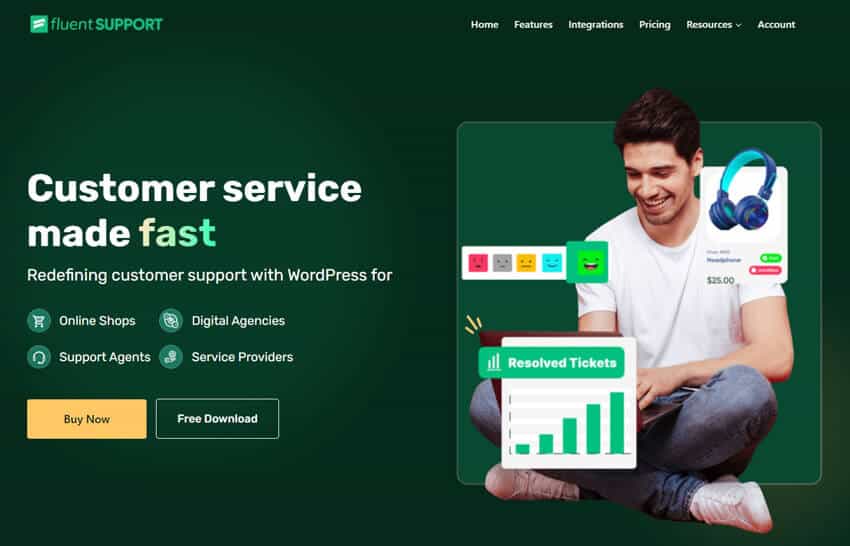
Fluent Support is a WordPress helpdesk plugin by WPManageNinja, the team behind FluentCRM, Fluent Forms, and related tools. It has 10,000+ active installs and a 4.5-star rating on WordPress.org. It is one of the most actively developed plugins in this category, with regular releases through 2025 and 2026.
Email-to-ticket workflow
Fluent Support uses email piping via forwarding, similar to Support Genix. You configure a Business Inbox with an email-based channel, and the plugin provides a mailbox address. You then set your support email provider (Gmail, Outlook, Yahoo, Zoho, or a cPanel host) to auto-forward incoming messages to that address.
When a new email arrives, Fluent Support creates a ticket. When a customer replies to a ticket notification email, the reply is appended to the existing ticket thread. CC addresses on emails are tracked and can be included in replies.
Important limitation: Fluent Support uses forwarding, not direct IMAP fetch. The plugin cannot delete emails from your original mail server — it only processes forwarded copies. This means emails remain in your inbox unless you set up a rule to delete them. The plugin does not support pulling email via IMAP directly.
Notable features relevant to email ticketing
- Multiple business inboxes, each with its own email-based channel
- Agent collision detection — shows which agent is replying to a ticket
- Workflow automation: route tickets, assign agents, and trigger actions based on ticket properties
- AI-powered features (OpenAI integration) for reply drafting, sentiment analysis, and thread summarization
- Deep integration with FluentCRM, Fluent Forms, WooCommerce, EDD, LearnDash, and other Fluent suite products
- Agent time tracking
Best for
Teams already using FluentCRM or the broader Fluent ecosystem who want email-to-ticket conversion in a plugin with strong automation and no per-agent pricing.
Limitations
- Email piping is a Pro feature — the free version does not support it.
- The forwarding-only model means Fluent Support cannot fetch emails directly from your mail server. Teams that need IMAP-native processing should consider SupportCandy or Awesome Support instead.
- No live chat built in (as of documentation review).
Pricing Plan:
Email piping is included in all Pro plans — no separate add-on is required.
- Single Site: $129/year — 1 site, 10 business email inboxes
- Agency: $249/year — 5 sites, 50 business email inboxes
- 50 Sites: $399/year — 50 sites, 500 business email inboxes
Note: A 30% promotional discount was active at time of writing. Verify current prices before publishing.
SupportCandy
SupportCandy is one of the longer-established WordPress ticketing plugins, with 10,000+ active installs and a 4.9/5 rating from 269+ reviews on WordPress.org. The core plugin is free. Email piping is available as a paid extension or included in all paid plans.
Email-to-ticket workflow
SupportCandy’s Email Piping extension offers three piping methods:
- Basic IMAP authentication — connects directly to your mail server via IMAP. The most technically direct method.
- Gmail API — used because Google no longer allows basic IMAP for most accounts. API-based setup takes less than 5 minutes.
- Microsoft Exchange API — for Microsoft 365 / Outlook environments.
When an email arrives, it is automatically converted into a ticket. When the customer replies to a ticket notification, that reply updates the existing ticket thread. Agents can also reply to tickets directly from their email inbox, and the reply is added to the ticket.
Piping rules allow you to set predefined ticket fields based on the sender, forwarding address, or keywords in the subject or body. For example, an email with “Urgent” in the subject can automatically set ticket priority to High.
Notable features relevant to email ticketing
- Three piping methods (IMAP, Gmail API, Exchange API) — broadest inbox compatibility in this comparison
- Piping rules to set priority, category, or assigned agent based on email content
- CC import — keeps CC recipients in the ticket thread
- Block specific senders or subjects from creating tickets
- 16+ custom field types for ticket forms
- WooCommerce integration available as a separate extension (included in paid plans)
Best for
Teams that want IMAP-native piping and the broadest inbox compatibility — especially those on Google Workspace, Microsoft 365, or self-hosted mail servers. Also a good fit if high user ratings and long-term plugin maturity matter to you.
Limitations
- Email piping is not included in the free core plugin. It requires a paid plan (all paid plans include it as an extension).
- Multiple distinct email addresses require forwarding configuration to route them all to the primary piped address — true multi-inbox support is more limited than Support Genix or Fluent Support.
- The add-on model means understanding which extensions are included requires checking the plan page.
Pricing Plan
All paid plans include all extensions, including Email Piping.
Yearly Plan:
- Personal: $79/year — 1 site
- Professional: $149/year — 5 sites
- Agency: $299/year — 20 sites
Lifetime plan:
- Lifetime Personal: $249 one-time — 1 site
- Lifetime Professional: $499 one-time — 5 sites
- Lifetime Agency: $999 one-time — 20 sites
Note: A 50% promotional discount was active at time of writing. Verify current prices.
Awesome Support
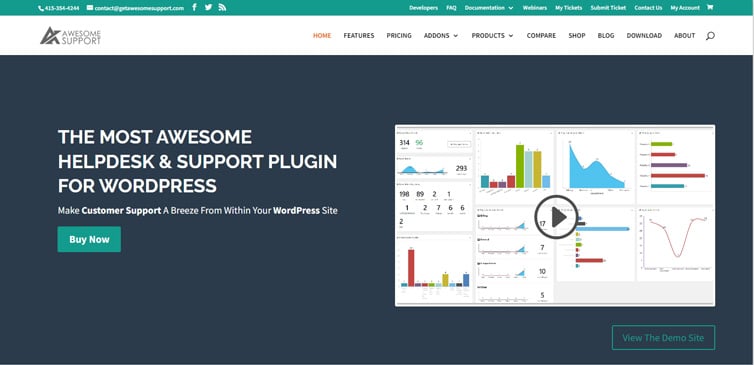
Awesome Support is a well-established WordPress ticketing plugin with a free core and a large ecosystem of premium add-ons. It has 8,000+ active installs. The E-Mail Support add-on enables IMAP/POP3-based email piping and is included in all paid bundles starting at $149/year.
Email-to-ticket workflow
Awesome Support’s email piping works through IMAP or POP3. You configure a dedicated inbox (one that Awesome Support controls entirely), and the plugin periodically checks that inbox via a cron job. When it finds new emails, it downloads them, deletes them from the inbox, and creates tickets or appends replies to existing tickets in WordPress.
The workflow handles both new ticket creation (emails from unknown or registered users) and ticket replies (matched via ticket ID in the email subject). Attachments sent by email are saved to the WordPress media library and attached to the ticket.
Multiple mailboxes are supported — you can create separate inboxes for different departments or products. Inbox rules let you route, assign, or modify tickets based on email content.
Notable features relevant to email ticketing
- True IMAP/POP3 fetch (deletes emails from server after processing — cleaner inbox management than forwarding-only approaches)
- Multiple mailboxes with per-mailbox defaults for priority, department, and agent
- Inbox rules engine: route, close, or modify tickets based on keywords, sender, or subject
- Unassigned email folder: emails from unrecognized addresses are parked, not lost
- Regular expression filters to strip sensitive data from incoming emails
- WooCommerce integration included in paid bundles
Best for
Organizations that need genuine IMAP-based email processing (where emails are fetched and deleted from the inbox), complex inbox rules, or the broadest available add-on library for specialized helpdesk workflows.
Limitations
- Requires a dedicated inbox — the email address used for piping cannot be shared with a regular inbox that humans also read.
- Requires IMAP or POP3 ports (993 or 995) to be open on your WordPress server — this is a server-level requirement that some managed hosts restrict.
- Gmail requires POP3 to be manually enabled. There is no Gmail OAuth option (unlike SupportCandy, which supports Gmail API).
- The add-on model means the base plugin is free, but you need a paid bundle ($149+/yr) or the individual Email Support add-on ($49/yr) to get piping.
- Setup is more technical than the forwarding-based methods used by Support Genix and Fluent Support.
Pricing Plan
- Standard bundle (includes Email Support): $149/year
- Pro bundle: $229/year
- Enterprise bundle: $289/year
- Agency bundle: $409/year
- Email Support add-on only (if not buying a bundle): $49/year (1 site), $88/year (2–5 sites), $158/year (unlimited sites)
WATS (WP Advanced Ticket System)
⚠️ Caution: WATS has only 200+ active installations and was last updated 10 month ago. Its Premium version — which includes email piping — does not display public pricing in a clearly verifiable format. WATS is included here for completeness but is not recommended for new deployments unless you have already evaluated and confirmed it meets your requirements. Consider KB Support or JS Help Desk as better-maintained alternatives.
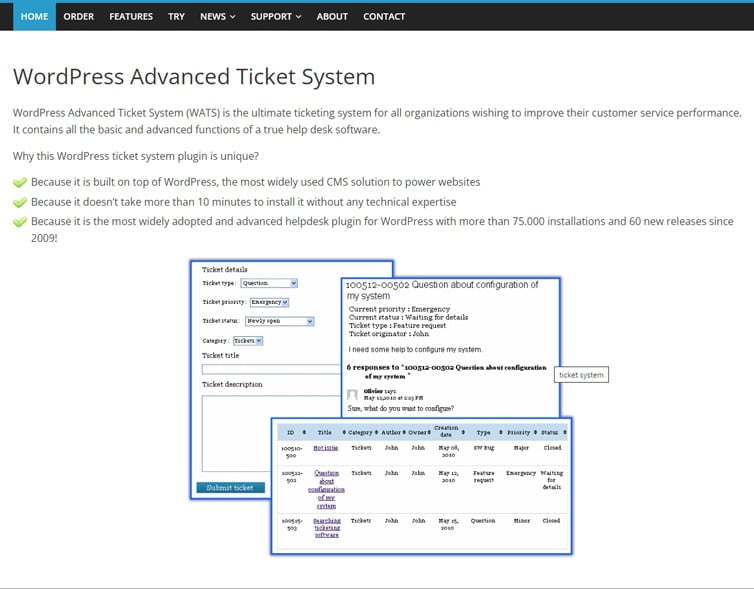
WP Advanced Ticket System (WATS) is a WordPress-native ticketing plugin that has been available since 2009. The free version provides basic ticket management from the WordPress admin. Email piping (converting incoming emails into tickets) is documented as a Premium feature.
Email-to-ticket workflow
According to the official documentation, WATS Premium supports ticket submission by email. Customers can email a designated support address and the plugin converts the message into a ticket. However, the current setup documentation for this feature is limited, and the piping method (IMAP, forwarding, or other) is not clearly described in current publicly available documentation.
Notable features (free tier)
- Ticket submission through the WordPress admin for registered and guest users
- Priority, status, type, and product fields per ticket
- Notification rules by product, priority, and status
- Basic dashboard and frontend ticket listing
Best for
Only for very small organizations already using WATS who do not want to migrate, or teams with minimal requirements that have confirmed the Premium version meets their needs.
Limitations
- Only 200+ active installs — very low adoption relative to the other plugins compared here.
- Last free version update: February 2025. Less actively maintained than alternatives.
- Premium pricing is not publicly listed on ticket-system.net in a format that can be independently verified.
- Email piping documentation is sparse and not current.
- No public evidence of WooCommerce integration.
Pricing Plan:
WATS Premium is available for only $57.73.
How to Choose the Best Email Ticketing System Plugins
What is a WordPress email ticketing plugin?
| A WordPress email ticketing plugin converts incoming customer emails into organized support tickets inside your WordPress dashboard. This is different from email notifications (which simply send outbound alerts). The key capability is inbound: the plugin reads emails arriving at your support address and creates or updates tickets automatically, without customers needing to log into a portal. |
Email notification vs. email piping vs. email-to-ticket
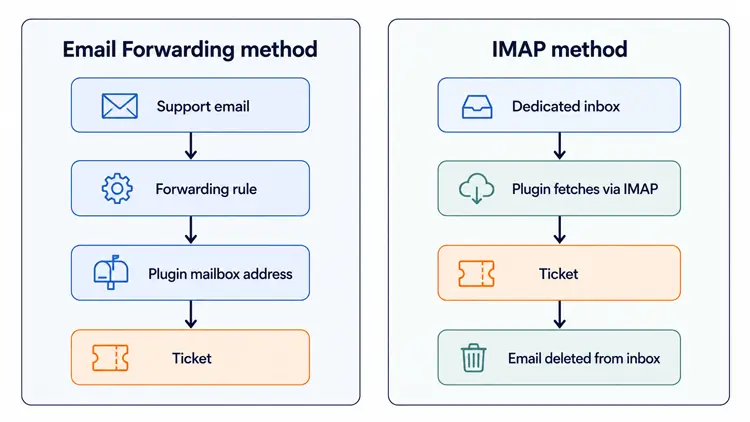
These terms are often confused:
- Email notification: the plugin sends emails to notify customers or agents about ticket activity. All five plugins do this, including free tiers.
- Email piping: the plugin receives incoming emails and converts them into tickets (or appends them to existing ticket replies). This is the Pro or paid feature discussed in this article.
- Email forwarding: a method of delivering emails to the piping system — you configure your email provider to forward copies of incoming emails to a plugin-provided address.
- IMAP: an alternative method where the plugin connects directly to your mailbox and fetches emails. More technically direct but requires open server ports and a dedicated inbox.
Decision framework
- One support inbox or multiple? If you have a single support@ address, any of the 5 main plugins works. If you have separate inboxes for billing, sales, and support, verify the inbox limits for the plan you are considering — Support Genix Pro offers unlimited mailboxes; Fluent Support sets mailbox limits by plan tier; SupportCandy routes via forwarding; Awesome Support supports multiple inboxes with separate rules.
- Do you need IMAP-native piping? If you want the plugin to directly connect to your mail server and fetch emails (rather than using forwarding), choose SupportCandy (supports IMAP, Gmail API, Exchange API) or Awesome Support (IMAP/POP3, dedicated inbox required).
- Are you using WooCommerce? All 5 main plugins offer WooCommerce integration. Support Genix and Fluent Support document order data appearing inside ticket threads. Verify the specific integration features you need before purchasing.
- Do you sell WordPress plugins or themes? Support Genix’s Elite Licenser integration lets agents see a customer’s license status inside ticket threads — unique to this comparison.
- Is budget a constraint? SupportCandy’s free core offers solid ticketing without piping. When you are ready to add piping, any paid SupportCandy plan includes it. Awesome Support’s Standard bundle at $149/yr includes both the core and the Email Support add-on. Support Genix starts at $59 per half-year for 5 sites.
- Is setup complexity a concern? Support Genix and Fluent Support use email forwarding — the setup is straightforward (configure auto-forwarding in your email provider; no server configuration needed). SupportCandy and Awesome Support offer IMAP options which require server ports to be open and a dedicated inbox.
Pre-purchase checklist
- Confirm email-to-ticket is included in the specific plan you are buying, not a separate add-on.
- Check whether your email provider (Gmail, Outlook, self-hosted) is supported by the piping method.
- Verify server ports 993/995 are open if you need IMAP (Awesome Support, SupportCandy IMAP method).
- Test the free version of the plugin for general usability before upgrading.
- Confirm how many inboxes your plan supports if you have more than one support email address.
- Check whether WooCommerce or other integrations you need are included or cost extra.
💡 Pro Tip: Most of the plugins on this list offer free versions or trial periods. Take advantage of these before committing to a paid plan — it is the best way to see how well a tool fits your specific workflow.
Support Genix
WordPress Support Ticket Plugin
Take Your Customer Support to The Next Level and Boost Customer Satisfaction Rates
Frequently Asked Questions
Q: Can customers create WordPress support tickets by sending an email?
A: Yes, but only if you have email piping enabled. With email piping active, an email sent to your support address is automatically converted into a new ticket. Without piping, customers must submit tickets through the front-end form. All five plugins covered here support email-to-ticket creation — but only on paid plans or paid add-ons.
Q: Is email piping usually included in the free version of WordPress ticketing plugins?
A: No. In every plugin compared here, email piping is a Pro or paid-add-on feature. The free versions provide ticket management and email notifications but cannot receive and process incoming emails to create tickets. Budget for at least an entry-level paid plan if email-to-ticket is a requirement.
Q: What is the difference between email forwarding and IMAP piping?
A: Email forwarding sends a copy of each incoming email to a plugin-provided address; the plugin processes that copy. IMAP piping means the plugin connects directly to your mail server, fetches emails, and deletes them from the inbox. Forwarding is easier to set up. IMAP gives the plugin more direct control (including deletion from the server) but requires open server ports and a dedicated inbox.
Q: Which plugin is best for a small WordPress support team on a tight budget?
A: SupportCandy is worth considering, the free core handles unlimited tickets, agents, and customers without piping. When you are ready to add email-to-ticket, any paid plan starts at $79/year and includes all extensions. Support Genix starts at $59/half-year for 5 sites. Both are reasonable entry points for small teams.
Q: What should a WooCommerce store check before choosing a plugin?
Verify that the plugin can display order data inside ticket threads (so agents do not need to switch tabs to check a customer’s purchase history), that it handles guest customers who may not have WordPress accounts, and that any WooCommerce integration feature you need is included in the plan you are buying — not a separate paid extension.
Do any of these plugins work without WordPress?
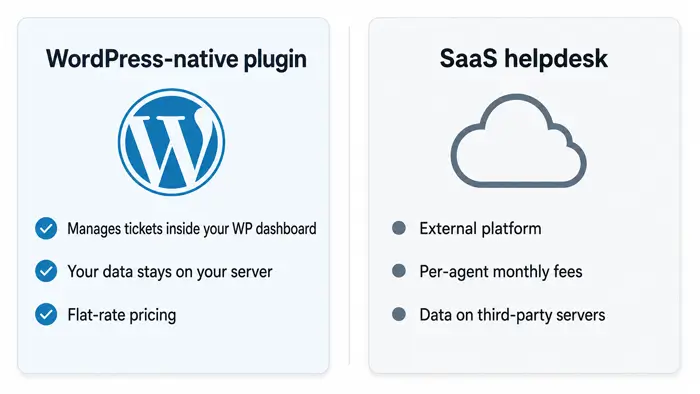
No. All five plugins are designed to operate inside WordPress and manage tickets through the WordPress dashboard. If you need a standalone helpdesk solution that does not depend on WordPress, you would be looking at SaaS platforms, which are a different category.
Conclusion
Choosing the right WordPress email ticketing plugin comes down to two things: what piping method works with your email setup, and what your budget allows.
Support Genix and Fluent Support use email forwarding — simpler to configure, no server requirements. SupportCandy and Awesome Support offer IMAP-based piping — more direct, better suited for dedicated support inboxes or environments where IMAP is already in use.
All 5 require a paid plan or add-on for email-to-ticket. None offer it free. Start by confirming your email provider is supported, then check whether inbox or agent limits on the plan you are considering match your current and near-future team size.
If you are evaluating Support Genix, you can try the free version on WordPress.org to assess the ticket management interface before upgrading for email-to-ticket.