How to Scale Customer Support: Super Effective Ways

Are you looking for the perfect way, “How to Scale Customer Support?” If so, then you’ve come to the right place! In this comprehensive guide, we will discuss effective strategies and proven methods to help your business achieve success regarding how to scale customer support.
From leveraging automation tools to finding knowledgeable employees, we will cover all the necessary tips for scaling customer service. We’ll also explore the cost implications, technology requirements, and metrics you need to track. So, let’s dive in and explore what strategies are needed for scaling customer support!
The Importance of Customer Support for Business Success
Here are some reasons why customer support is important for business success:
- Improved customer experience: Offering efficient and reliable customer service can result in increased customer satisfaction, which can positively affect sales or revenue generation.
- Increased loyalty: Providing quality customer service can lead to stronger customer relationships and encourage them to return for future purchases.
- Cost reduction: Using support systems reduces manual labor costs, allowing resources to be better used elsewhere in the company.
- Better data collection: Collecting data from customer interactions enables businesses to make more informed decisions that improve their product or services.
The Challenge of Scaling Customer Support
Here are some of the challenges of how to scale customer support:
- Keeping up with customer demand: As customer numbers increase, there may not be enough resources to provide an adequate level of service. Support request volumes typically increase 1.3x to 2x faster than customer acquisition.
- Consistent response times: Maintaining high quality of service and short response times can be difficult as demand grows. 83% of customers expect immediate interaction when contacting support.
- Quality control: It can be hard for businesses to check that the same standards are being met across different support channels when dealing with large volumes of customers.
- Cross-team collaboration: Organizations need to ensure that all teams involved in providing customer support (marketing, sales, technical teams) are working together efficiently to deliver excellent service.
- Talent retention & burnout: Support teams experiencing sudden spikes in inquiries can lead to agent burnout, increased absenteeism, and turnover, costing approximately 30% of an employee’s annual salary for replacement.
Support Genix
WordPress Support Ticket Plugin
Take Your Customer Support to The Next Level and Boost Customer Satisfaction Rates
Understanding the Cost & ROI of Scaling Customer Support
Before implementing scaling strategies, it’s critical to understand the financial implications and expected returns on investment.
Cost Comparison: Scaling Methods
The approach you choose dramatically affects your bottom line:
| Scaling Method | Annual Cost (Per Unit) | Cost Reduction | Time to ROI |
|---|---|---|---|
| AI Chatbots | $3,600–$6,000 (annual) | 30–45% | 6–8 months |
| Knowledge Base Implementation | $200–500 (monthly) | 30% ticket deflection | 6–8 weeks |
| Ticketing System | $500–5,000 (annual) | 25–40% per ticket | 3–6 months |
| Human Agents | $30,000–$50,000 (per agent annually) | None (cost increases) | N/A |
| Full Support Suite (Zendesk, HubSpot) | $12,000–$25,000+ (annually) | 45% overall | 12–18 months |
Key ROI Metrics to Track
When scaling, expect these improvements within the first year:
- Cost per ticket reduction: 25–40% through automation and process optimization
- Response time improvement: 60% faster (from 30 minutes to 2 minutes with automation)
- Customer satisfaction increase: 15–25% improvement in CSAT scores
- Ticket deflection rate: 40–60% reduction in tickets reaching human agents through self-service
- First contact resolution (FCR): Improvement from 70% to 85–90%
Real Example: Small E-commerce Business
Before Implementing Scaling Strategies:
- Support requests/day: 50
- Average resolution time: 48 hours
- CSAT: 68%
- Cost per ticket: $12
- Monthly support costs: $18,000
After 6 Months of Implementation:
- Support requests/day: 100+ (with proper scaling)
- Average resolution time: 18 hours (62% improvement)
- CSAT: 89% (31% improvement)
- Cost per ticket: $7.50 (37.5% reduction)
- Monthly support costs: $11,250
- Annual savings: $81,000
How to Scale Customer Support: The Effective Ways
1. Leverage Automation Tools
As businesses grow, so does the need for effective customer support. But how can you scale your customer support without sacrificing quality? One solution is to leverage automation tools.
By automating routine tasks, such as answering FAQs, scheduling appointments, ticket routing, and status updates, you can free up your support staff to focus on complex issues. Additionally, automation can help you respond faster to customers, improving their satisfaction and reducing wait times.
Smart Automation Strategy:
- Start with high-volume tasks: Automated ticket categorization, priority routing, and FAQ responses
- Move to complex automation: Multi-step workflows, conditional escalations, and intelligent handoffs
- Combine with human touch: AI handles Tier 1 (simple inquiries), humans handle Tier 2-3 (complex issues)
Expected Results:
- 40–60% ticket deflection from routine inquiries
- 15–20 hours saved per week per support team member
- 3x more tickets handled per agent daily
Read more: Best Customer Support Tools for Scaling 2025
2. Focus on Self-Service
When scaling customer support, companies need to start focusing on self-service. This approach not only saves time and resources for the support team but also empowers customers to find solutions on their own.
By creating a robust and user-friendly knowledge base that is easily accessible, customers can quickly find answers to common questions and resolve issues without needing to contact support. Self-service support costs only $5 per interaction, compared to $25 for live agent support—an 80% cost difference.
Building Effective Self-Service:
- Knowledge base design: Organize by customer journey stages (onboarding, troubleshooting, features, billing)
- Search optimization: Implement AI-powered search that understands natural language
- Content strategy: Target the 20% of questions that generate 80% of support tickets
- Multi-format resources: Text articles, video tutorials, interactive guides, infographics
Implementation of chatbots and automated response systems also provides excellent opportunities to scale support with more effective resource allocation. By allowing customers to self-serve and access the information they need, companies can significantly improve their customer experience, strengthen customer loyalty, and reduce churn.
Results from Implementation:
- 23–80% reduction in support tickets (depending on quality)
- 60% higher CSAT scores vs. phone support (87% satisfaction with chat vs. 44% with phone)
- 24/7 instant customer support without proportional hiring needs
3. Adopt a Multichannel Approach
Customers have come to expect a seamless support experience, regardless of whatever medium they use to communicate through. That’s why adopting a multichannel approach to customer support is critical.
By utilizing various channels, such as phone, email, live chat, social media, chatbots, and self-service portals, businesses can efficiently manage their customer interactions and increase customer satisfaction. A multichannel approach allows you to meet customers where they are rather than expecting them to come to you.
Prioritizing Channels for Scale:
- Core channels (start here): Email + knowledge base + live chat
- Secondary channels (add as you grow): Phone support, social media monitoring
- Advanced channels (enterprise scale): Messaging apps (WhatsApp, Facebook Messenger), in-app support
Channel Response Time Benchmarks:
- Live Chat: < 2 minutes (87% CSAT)
- Email: < 1 hour first response (44% CSAT standard)
- Social Media: < 4 hours (public visibility matters)
- Phone: < 30 seconds (highest expectation)
This approach also ensures that you are providing consistent support across all channels, which is crucial for building customer trust and loyalty.
Implementation Tips:
- Use unified inbox platforms (Zendesk, Support Genix, HubSpot) to manage all channels
- Implement omnichannel routing that considers agent skills and availability
- Maintain conversation context across channels (customer history visible everywhere)
- 41% higher customer engagement for businesses offering omnichannel support
4. Hire Knowledgeable Employees
One of the most effective ways to scale customer support is by hiring knowledgeable employees. Having employees who are well-versed in the product or service that the company offers can greatly enhance the level of customer support provided.
These employees can quickly identify and troubleshoot issues, provide expert advice, and offer personalized solutions to customers. With their knowledge, they can also assist in creating helpful resources for both customers and fellow team members.
Strategic Hiring for Scale:
- Hire for attitude & train for skills: Looking for empathy, problem-solving, and communication over pure technical knowledge
- Focus on learners: Candidates who embrace continuous learning and adapt quickly
- Build hiring criteria: Define role requirements (Tier 1, 2, 3) and compensation tiers accordingly
- Consider remote talent: Expand beyond local market; 50%+ support teams are now remote
Retention During Growth:
- Adequate training and ongoing support can further enhance the effectiveness of knowledgeable employees, ensuring the team can continue to provide high-quality support as the company grows.
- Offer career development paths to prevent burnout
- Recognition programs and performance bonuses (support agents earning incentives have 30% higher satisfaction)
- Flexible work arrangements and remote options
Cost-Benefit Analysis:
- Replacement cost for one agent: $10,000–$15,000
- Cost of comprehensive training: $2,000–$5,000 per agent
- Agent retention improves by 30% with proper development opportunities
- Experienced agents handle 40% more tickets than new hires
5. Create Customer-Centric Processes
When it comes to scaling customer support, customer-centric processes should be at the forefront of any business owner’s mind. By creating processes with a customer-first mentality, you are able to better meet the needs and expectations of your clients.
This involves making sure your communication is clear, timely, and personalized. It also means providing your customer support team with training and resources they need to be able to effectively handle any issues or concerns that may arise.
Designing Scalable Processes:
- Document everything: Standard operating procedures (SOPs) for all common scenarios
- Define workflows: Clear routing rules, escalation paths, and handoff procedures
- Set Service Level Agreements (SLAs): Response time targets (first response < 1 hour, resolution < 24 hours)
- Implement feedback loops: Regular process reviews and agent input
Quality Assurance at Scale:
- Establish QA metrics and regular audits (20% of tickets sampled)
- Use AI-powered quality scoring for 100% coverage
- Create training modules based on identified gaps
- Celebrate wins and share best practices team-wide
Finally, when you prioritize the customer, you can build a loyal following that will not only continue to support your business but also recommend it to others. So, whether you are just starting out or looking to grow your existing business, keep customer-centric processes at the heart of your scaling strategy.
6. Encourage Customer Feedback
There are effective ways to scale customer support, and one of them is by encouraging customer feedback. Feedback helps you identify areas that need improvement and keeps your customers engaged.
Provide various ways for customers to give feedback, such as through:
- Post-ticket CSAT surveys (1 question: “How satisfied are you?”)
- NPS surveys (quarterly or after major interactions)
- Social media monitoring and direct feedback
- In-app feedback forms
- Customer interviews (select high-value customers)
Analyze and Act:
Respond to all feedback to show customers that you value their opinion. Analyze feedback to identify patterns, including common complaints or concerns, and adjust your support strategy accordingly.
Data-Driven Improvements:
- Track feedback trends monthly (most common issues, themes)
- Close the loop: Communicate changes made based on customer input
- Use Voice of Customer (VoC) programs to align support with product roadmap
- Link feedback to business outcomes (satisfaction → retention → revenue)
Encouraging feedback builds a relationship with your customers and helps you improve your support services. This is especially important when scaling, as customer satisfaction scores can drop without intentional measurement and improvement.
7. Find Scalable Efficiencies
Finding scalable efficiencies is one effective way that businesses can streamline their customer support departments. This involves identifying areas that can benefit from automation or technology solutions, such as chatbots, automated email responses, or self-service knowledge bases.
Process Optimization Areas:
- Ticket routing: Intelligent routing based on agent skills, availability, language
- Response templates: Pre-written responses for common issues (with personalization)
- Email automation: Auto-responders, ticket creation from email, bulk actions
- Reporting automation: Auto-generated reports for management visibility
Technology Solutions to Evaluate:
- Ticketing systems (25–40% cost reduction per ticket)
- CRM integration for complete customer context
- AI copilots that suggest responses to agents
- Workflow automation for routine tasks
- Analytics dashboards for real-time monitoring
These solutions allow businesses to handle a higher volume of inquiries without sacrificing quality or personalized attention. As a result, customer support representatives can focus on more complex issues and provide a better overall experience for customers.
Utilizing scalable efficiencies not only saves time and resources but also improves customer satisfaction and strengthens the relationship between businesses and their customers.
8. Prioritize and Focus on High-Value Customers
Another effective way to scale your customer support is to prioritize and focus on customers who bring high value. These are the customers who have the potential to become loyal, long-term customers and who can provide valuable feedback on your products or services.
VIP Support Tiering:
- Tier 1 (Standard): Self-service, chatbots, general queue
- Tier 2 (Premium): Faster response times, dedicated agent
- Tier 3 (VIP): Personalized support, priority queue, dedicated account manager
Identifying High-Value Customers:
- Annual contract value (ACV) or lifetime value (LTV) thresholds
- Revenue contribution to total business
- Expansion/upsell potential
- Advocacy/referral likelihood
- Strategic importance or growth potential
By focusing on these high-value customers, you can improve their experience and build stronger relationships with them, which will ultimately lead to increased revenue and growth for your business.
Business Impact:
- VIP support can reduce churn by 15–25% among top customers
- Upsell/cross-sell opportunities increase when customers feel valued
- These customers become brand advocates and drive referrals
- Personalized attention improves retention, not just satisfaction
Whether it’s by providing personalized support, offering exclusive perks, or simply taking the time to listen, investing in these valuable customers is a win-win strategy for scaling your customer support.
Common Scaling Mistakes & Misconceptions
When scaling customer support, many businesses make critical errors that undermine their growth. Understanding these mistakes can help you avoid costly missteps.
Myth #1: “Hiring More Agents Is the Best Way to Scale”
Reality: Hiring more agents should be your last resort, not first. Companies that automate first achieve 45% cost savings, while those hiring first see diminishing returns and burnout. Implement automation and self-service first, then hire strategically.
Myth #2: “Customer Satisfaction Must Drop as You Scale”
Reality: Companies focusing on scalable processes achieve 45% higher customer retention. Quality doesn’t have to suffer—proper systems, training, and automation maintain or improve satisfaction scores.
Myth #3: “You Need All Support Channels Immediately”
Reality: Start with 2–3 core channels (email + chat + knowledge base). Add channels gradually based on customer demand. Most customers are satisfied with limited but high-quality channel options.
Myth #4: “AI Will Replace Support Agents Entirely”
Reality: Hybrid is better. AI handles 40–60% of tickets (routine inquiries), while humans manage complex issues and build relationships. This approach maximizes efficiency and customer satisfaction.
Critical Mistakes to Avoid:
- Scaling without documenting processes: Inconsistency and quality issues
- Over-relying on automation without human oversight: Customers feel ignored; escalations increase
- Ignoring early scaling signals: Wait until crisis = expensive recovery
- Not tracking metrics before scaling: Can’t measure improvement
- Centralizing all communication: Limits agent autonomy and slows response times
Technology & Tools for Scaling
Choosing the right tools is critical to scaling efficiently. Your tech stack should support growth without becoming a bottleneck.
Support Genix
If your business relies on providing customer support, then Support Genix is the WordPress plugin you need. This powerful tool simplifies the process of managing incoming requests and responding to them quickly and efficiently, helping you best serve your customers.
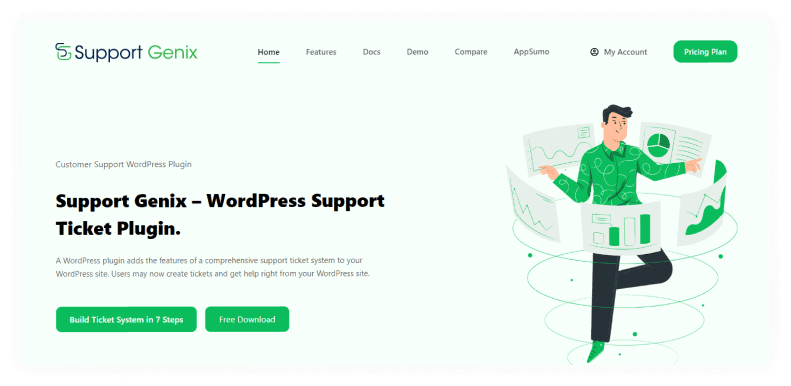
By including a comprehensive ticketing system on your website, users can easily create tickets, and you can manage them all in one place. In addition, with SupportGenix, businesses can keep track of customer inquiries and ensure that all requests are addressed promptly and effectively. It streamlines your support system and allows your team to focus on what matters most delivering exceptional service.
Key Features:
- Native WordPress integration
- Email-to-ticket automation
- Knowledge base builder
- AI reply assistant
- Custom forms & workflows
- Mobile-responsive interface
Cost: $59–$149/year (very affordable for SMBs)
Best for: Small to mid-sized WordPress sites with 100–1,000 support tickets/month
Help Scout
Looking for the perfect customer service software solution can be a daunting task. Luckily, Help Scout is here to streamline the process and deliver exceptional service to every customer who reaches out to your business. This powerful software is designed with intuitive features that make managing and prioritizing customer inquiries a breeze.
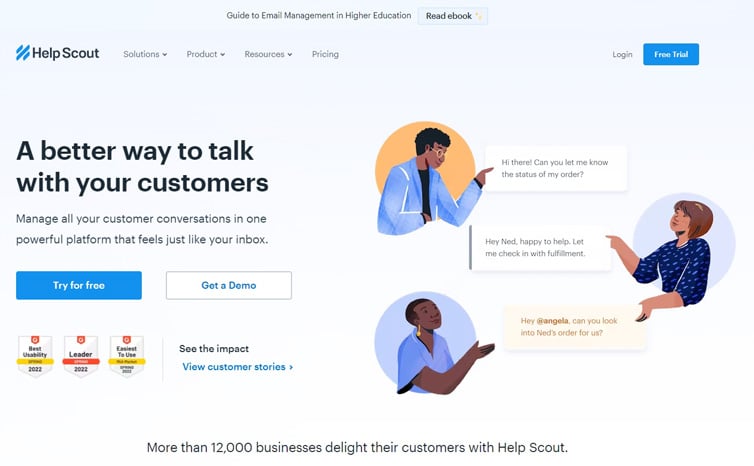
With shared inboxes, collaboration tools, and automated workflows, your team can work seamlessly to provide top-notch service. And with integrated search tools, navigating the site has never been simpler.
Key Features:
- Unified inbox (email, live chat, forms)
- Automation workflows
- Knowledge base
- Team collaboration tools
- Customer segmentation
Cost: $20–$165/user/month
Best for: Mid-market teams (10–50 agents) valuing simplicity and ease of use
LiveAgent
LiveAgent is the solution you need to take control of your customer service operations. This powerful tool offers an intuitive interface that simplifies the process of managing all your inquiries from a single platform. From simple questions to complex issues, you can easily sort, filter, and respond to everything, all in one convenient place.
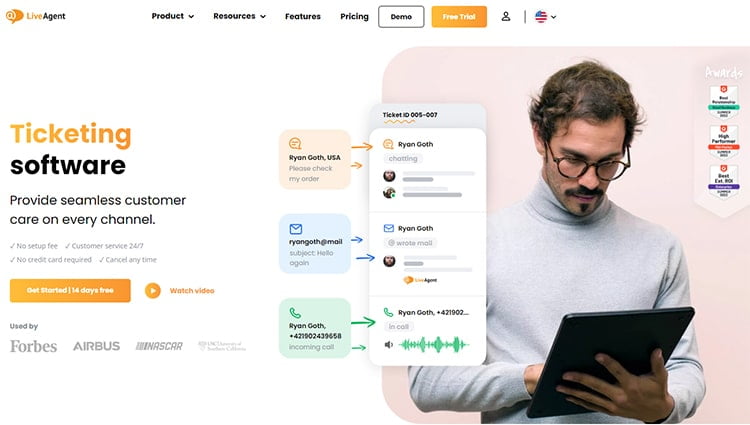
Plus, with its integration features, LiveAgent easily connects with all your essential customer service software systems, including your ticketing software, CRM, accounting, live chat, and social media platforms. The ease of use and functionality of the user interface ensures that it is easy for everyone on your team to use, making it easier to provide top-tier customer service.
Key Features:
- Multi-channel support (email, chat, phone, social)
- Automation & workflows
- Pre-built integrations
- Real-time analytics
- Call center capabilities
Cost: $9–$55/user/month
Best for: Omnichannel teams (20–200 agents) needing flexibility and strong integrations
HubSpot Service Hub
HubSpot has successfully established itself as a leader in marketing and sales software, and now they’re aiming to do the same in the customer service department with its offering called Service Hub. This platform includes several useful features that are essential for delivering great customer service, such as a shared inbox and a knowledge base builder.
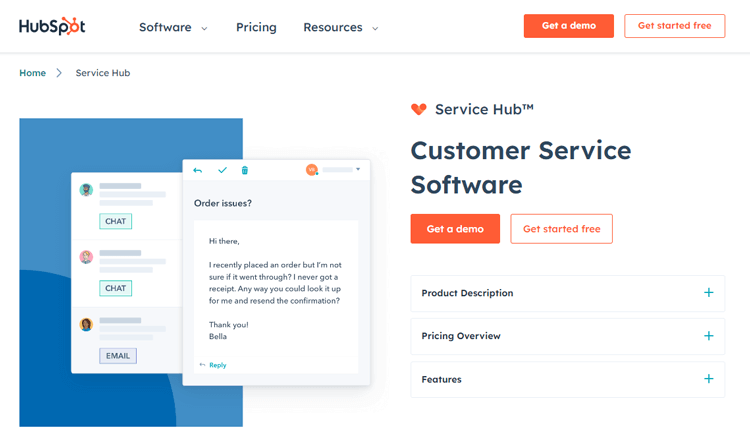
With these tools, businesses can ensure that their customers receive prompt and accurate responses to their inquiries. In addition, HubSpot Service Hub offers collaboration tools like internal notes and basic automation capabilities, allowing customer service teams to work efficiently and effectively.
Key Features:
- Shared inbox for team collaboration
- Knowledge base builder
- Automation workflows
- Live chat integration
- Basic AI features
Cost: Free plan available; $50–$3,200+/month for paid tiers
Best for: Growing SaaS companies looking for integrated sales + support
Zendesk Service Suite
When it comes to improving customer service operations, Zendesk is another standout choice among software solutions. This platform offers both basic and suite plans to cater to businesses of any size and need.
With Zendesk, you can free up time and resources to focus on what matters most: providing exceptional customer experiences. Zendesk has everything you need to streamline your customer service operations, whether you need comprehensive email support or broad customization tools.
Zendesk has everything you need to streamline your customer service operations, whether you need comprehensive email support or broad customization tools.
Key Features:
- Advanced AI-powered automation
- Comprehensive reporting & analytics
- 1,000+ integrations
- Highly customizable interface
- Strong omnichannel support
Cost: $49–$5,000+/month depending on features
Best for: Large teams (50+ agents) requiring enterprise-level features and customization

Frequently Asked Questions
What Are the Main Challenges of Scaling Customer Support?
The biggest challenges include managing increasing ticket volume (1.3–2x faster than customer growth), maintaining consistent response times (83% of customers expect immediate contact), preventing agent burnout during growth, and maintaining quality across multiple channels. Addressing these requires strategic planning and the right technology.
What’s the biggest mistake when scaling customer support?
Assuming that common mistakes in customer service are solved by adding people. Most scaling failures happen because teams skip the foundation: automation, documentation, and process optimization. More people often means proportionally worse quality.
Can I really scale support without hiring more people?
Not indefinitely, but yes—much further than most companies think. Through automation, self-service, and efficiency improvements, you can often 2-3x your capacity before needing to hire. When you do hire, the foundation should support growth without quality decline.
What’s the ROI of implementing support technology?
Most help desk systems (like SupportGenix) pay for themselves within 3-6 months through reduced time per ticket and improved first-contact resolution. Chatbots often save 40-60% of ticket volume. The ROI is substantial and measurable.
How do I know if I’m scaling wrong?
Watch your metrics: if CSAT drops as you grow, if response times increase, if ticket volume spikes without resolution improvement, or if your team looks stressed, you’re scaling wrong. These are signals to pause hiring and fix your foundation first.
Conclusion
Scaling customer support is crucial for any business that aims to grow and succeed. As companies expand their operations and attract more customers, they must prepare infrastructures that can accommodate surges in support inquiries.
Fortunately, there are extremely effective ways how to scale customer support without sacrificing service quality. The key is taking a strategic, phased approach: automate first, invest in self-service, optimize processes, then hire strategically.
From automating mundane tasks to optimizing your support channels, implementing customer-centric processes, leveraging customer feedback, and investing in the right technology and people—these strategies will save you time and money while enabling you to provide stellar customer experiences.
Start your scaling journey today:
- Month 1: Assess, automate, document
- Month 3: Self-service, define SLAs, measure
- Month 6: Optimize, expand, hire strategically
- Month 12: Grow confidently with sustainable systems
Watch your customer satisfaction ratings soar as you scale intelligently and intentionally.