Best WordPress Advanced Ticket Systems: Supercharge Your Customer Service

Quick Answer: WordPress Advanced Ticket Systems help businesses organize customer requests, assign tickets, automate support tasks, and track issues from one place. Our top pick for WooCommerce-focused support is Support Genix, while Awesome Support and SupportCandy are strong WordPress-native alternatives. Zendesk and Help Scout are better suited to teams that need broader SaaS-based omnichannel support.
Choosing the right WordPress Advanced Ticket Systems solution becomes more important as your website or WooCommerce store grows. Managing customer questions through ordinary email can lead to missed requests, duplicate replies, slow response times, and limited visibility into unresolved issues.
A modern WordPress advance ticket system organizes those conversations into trackable support requests and can add features such as agent assignment, automation, email-to-ticket workflows, WooCommerce integration, knowledge bases, AI-assisted replies, and reporting.
In this guide, we compare five leading WordPress ticket systems, including both WordPress-native plugins and SaaS help desks, to help you choose the right option based on features, pricing, support workflow, and business needs.
Table of Contents
How We Evaluated These Tools
We compared each tool on WordPress integration, ticket management depth, agent and automation capabilities, WooCommerce support, self-service features, and current pricing. Pricing and feature details were checked against each vendor’s live pricing page.
Comparison at a Glance
| Tool | Type | Free Version | Agent Pricing | AI Features | WooCommerce | Starting Price |
|---|---|---|---|---|---|---|
| Support Genix | WordPress-native | Yes | Unlimited | Yes (chatbot, writing assistant) | Yes | $59 / half-year (5 sites) |
| Awesome Support | WordPress-native | Yes (core) | Unlimited | Add-on dependent | Via add-on | $149/year |
| SupportCandy | WordPress-native | Yes (core) | Unlimited | Limited | Via add-on | $79/year |
| Zendesk | SaaS | No | Per agent | Yes (AI agents; Copilot is a paid add-on) | Via integration | $19/agent/month |
| Help Scout | SaaS | Yes (up to 5 users) | Per user | Yes (metered AI Answers) | Via integration | $25/user/month |
Which WordPress Advanced Ticket System Should You Choose?
- Support Genix: best for WooCommerce stores that want AI-assisted support inside their existing WordPress support ticket plugin dashboard.
- Awesome Support: best for teams that want a free core plugin and are comfortable customizing with add-ons.
- SupportCandy: best for businesses that already run support through an inbox and want native email-to-ticket conversion.
- Zendesk: best for enterprise teams that need omnichannel routing, reporting, and contact-center features beyond WordPress.
- Help Scout: best for lean SaaS teams that want a simple shared inbox without WordPress-native setup.
What Is a WordPress Ticket System?
A WordPress ticket system is a plugin or connected service that converts customer inquiries into trackable tickets inside or alongside your WordPress site. It centralizes support requests, assigns them to agents, and tracks status from open to resolved, replacing scattered email vs. ticketing system confusion with an organized workflow.
What Features Should You Look For?
Before choosing a ticket system, compare the core features that affect how efficiently your team can manage, automate, and resolve customer support requests.
- Ticket and Agent Management: A solid system should support ticket assignment, priority levels, status tracking, custom fields, and private internal notes so agents can collaborate without confusing the customer.
- Email-to-Ticket Support: Look for email piping that automatically converts incoming emails into tickets and lets agents reply without leaving their inbox.
- Automation: Assignment rules, canned responses, triggers, and SLA tracking reduce manual work and keep response times consistent as ticket volume grows.
- WooCommerce and Business Integrations: Integrating with WooCommerce and other business tools gives agents order and customer context directly inside a ticket, which speeds up resolution for store-based support.
- Self-Service: A knowledge base and chatbot let customers resolve common questions before or during the ticket workflow, reducing agent load.
- Reporting: Response time, resolution time, and workload reporting help you spot bottlenecks and evaluate agent performance over time.
- Pricing Model: WordPress-native plugins commonly offer unlimited agents for a flat fee, while SaaS platforms charge per agent or per user, which can scale cost quickly as your team grows.

WordPress-Native Plugin or SaaS Help Desk?
Support Genix, Awesome Support, and SupportCandy run inside your WordPress dashboard and store data in your own database, giving you full control without a separate login. Zendesk and Help Scout are external SaaS platforms that connect to WordPress via integrations, offering broader omnichannel features but adding per-agent costs and a separate system to manage.
Choose WordPress-native if you want ticket data to live alongside your site and WooCommerce orders, and you’re comfortable with your host handling the extra database load. Choose a SaaS platform if you need enterprise-grade routing, multi-brand support, or contact-center features that go beyond a single WordPress site.
Best WordPress Advanced Ticket Systems
Support Genix
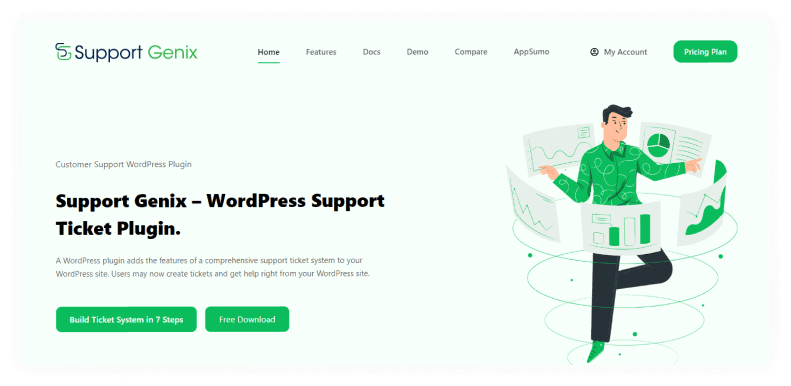
Support Genix keeps the support workflow inside WordPress, which is particularly useful for WooCommerce businesses that don’t want agents switching between an external help desk and the store dashboard. It’s built for site owners who want ticketing, order context, and customer communication managed from one place rather than juggling a separate SaaS login.
The free version covers the core ticket-management workflow with unlimited tickets, agents, and customers, while paid plans add email piping, integrations, automation, and AI-assisted support. Its more distinctive advantage is the combination of traditional ticket management with newer self-service tools.
The built-in knowledge base and AI-assisted chatbot and writing assistant help teams handle repetitive questions before or during the ticket workflow, while native WooCommerce, Slack, WhatsApp, and FluentCRM integrations give store-focused teams a more natural support environment. The trade-off is that, unlike Zendesk, it isn’t designed as a broad enterprise contact-center platform, so very large multi-brand support operations may outgrow it.
Key Features
- Unlimited tickets, agents, and customers
- Tickets on behalf of users
- Email piping (Pro)
- AI-powered chatbot and AI writing assistant
- Built-in knowledge base
- WooCommerce, WhatsApp, Slack, and FluentCRM integrations
- Webhook support
Pros: Native WordPress integration, generous free tier, AI features included on paid plans, strong WooCommerce fit.
Cons: Email-to-ticket and AI features are Pro-only; ticket data volume depends on your own hosting capacity.
Choose it if: You run a WooCommerce store and want support and order data in one dashboard.

Skip it if: You need enterprise omnichannel or contact-center features beyond a single WordPress install.
Pricing- Support Genix offers cost-effective and simple services for small and medium enterprises.
Yearly Plan–
- Personal Plan for $59 (1 website)
- Developer Plan for $99 (5 websites)
- Agency Plan for $149 (100 websites)
Lifetime Plan-
- Personal Plan for $149 (1 website)
- Developer Plan for $399 (5 websites)
- Agency Plan for
$699$199 (100 websites)
Zendesk
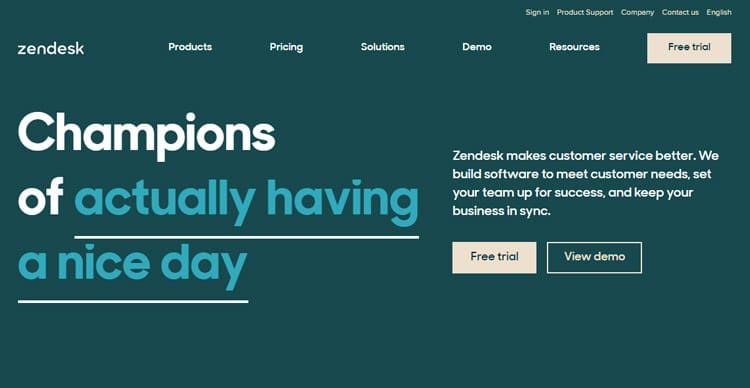
Zendesk isn’t a WordPress-native plugin in the way the first three tools are — it’s a larger external customer-service platform that WordPress connects to through an integration rather than a database-level install. That distinction matters because it changes both the setup process and where your support data actually lives; ticket records stay inside Zendesk’s SaaS environment rather than your own WordPress database.
Businesses accept that added complexity in exchange for omnichannel routing across email, chat, and social, deeper reporting through Explore, and enterprise workflow features that a single-site WordPress plugin typically can’t match.
One nuance worth flagging: Zendesk’s AI Copilot is not bundled into every plan by default — it’s currently offered as an additional $50/agent/month add-on, while Suite Professional includes some baseline AI and admin capabilities on its own.
Key Features
- Omnichannel shared inbox
- AI agents (Copilot available as a paid add-on)
- Reporting and analytics (Explore)
- Knowledge base (Guide)
- Sales and chat suites
Pricing:
- Support Team: $19/agent/month
- Suite Team: $55/agent/month
- Suite Professional: $115/agent/month
- Suite Enterprise: contact sales
Choose it if: You need contact-center-grade features across multiple channels and brands.
Skip it if: Your support volume comes mainly from your own WordPress or WooCommerce site.Awesome Support

Awesome Support ships as a free core plugin with unlimited tickets and agents, then relies on an extensive add-on marketplace to extend functionality. That structure makes it appealing for businesses that want to assemble a support stack piece by piece rather than commit to a single bundled feature set, since you only pay for capabilities you actually need.
The trade-off is that some genuinely important features, such as email piping, WooCommerce or Easy Digital Downloads integration, and advanced automation, require separate paid add-ons rather than coming built in. This WordPress advanced ticket system keeps the entry cost low but can make the total cost harder to predict as your requirements grow, and it means new users need to research which add-ons matter before buying.
Key Features
- Unlimited tickets, agents, and custom fields
- Private tickets
- Front-end ticket submission
- Agents can create tickets on behalf of users
- Email notifications for ticket events
Pricing
- Standard: $149/year
- Pro: $229/year
- Enterprise: $289/year
- Agency: $409/year
Pros: Free core plugin, deep customization through add-ons, good for complex workflows.
Cons: Add-on-heavy pricing model can get expensive quickly; email piping requires a separate add-on.
Choose it if: You want granular control over features and are comfortable managing add-ons.
Skip it if: You prefer an all-in-one plan without piecing together add-ons.Support Candy
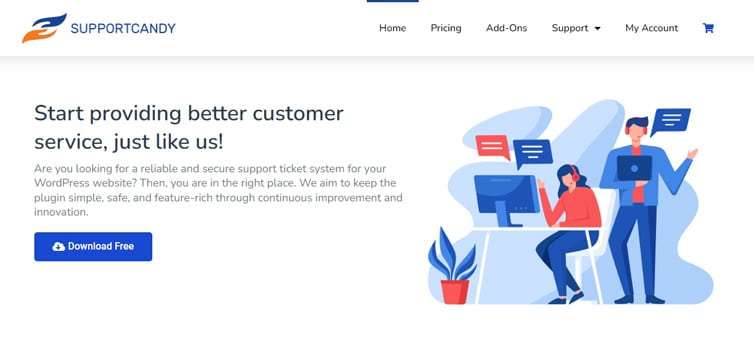
SupportCandy is built for businesses that already run support mainly through an inbox and want incoming emails to become tickets automatically, without forcing customers onto a separate support form. It connects directly via IMAP, the Gmail API, and Microsoft Exchange, so agents can keep working from a familiar mailbox while tickets are logged and organized behind the scenes.
Beyond email conversion, SupportCandy stands out for its 16+ custom field types and advanced saved filters, which help larger support teams segment and search tickets efficiently. Its main trade-off against newer competitors is a lighter AI feature set: there’s no built-in AI writing assistant or chatbot comparable to what Support Genix or Zendesk now offer, so teams prioritizing AI-assisted replies may find it more limited.
Key Features
- Unlimited tickets and agents
- Advanced custom filters and saved searches
- Private agent notes
- 16+ custom field types
- Agents can create tickets on a customer’s behalf
Pricing
- Personal: $79/year (1 site)
- Professional: $149/year (5 sites)
- Agency: $299/year (20 sites)
Pros: True IMAP-native email piping, strong custom field support, straightforward tier structure.
Cons: Email piping requires a paid add-on; fewer AI features than newer competitors.
Choose it if: You need direct inbox integration without relying on email forwarding.
Skip it if: AI-assisted replies or a built-in knowledge base are priorities.Help Scout
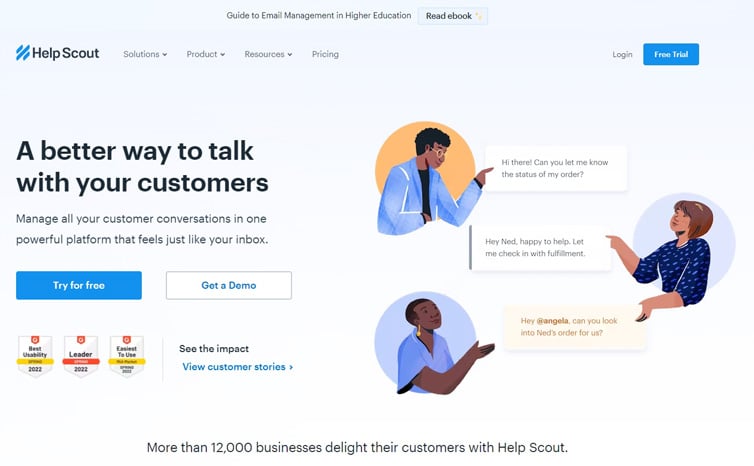
Help Scout targets growing teams that want a simple, well-organized shared inbox without the setup overhead of a full enterprise platform. It made this list because it balances approachability with genuine depth: multiple shared inboxes, live chat and messaging, and a Docs knowledge base are all included rather than gated behind complex configuration.
Higher plans add workflows, SLA rules, an AI-assisted inbox with draft replies, and a customer portal, which lets growing teams scale support processes gradually rather than replatforming later. The main trade-off is that Help Scout isn’t WordPress-native, so ticket data lives in a separate SaaS account, and its AI Answers feature is metered separately rather than included in the base subscription.
Key Features
- Shared inbox
- Knowledge base (Docs)
- Customer management
- Live chat
- Reporting and workflows
Pricing
- Free: up to 5 users
- Standard: $25/user/month
- Plus: $45/user/month
- Pro: $75/user/month
- AI Answers is metered separately at $0.75 per resolved conversation on any paid tier
Pros: Genuine free tier, clean interface, solid reporting.
Cons: Per-user pricing and metered AI costs can add up; not WordPress-native.
Choose it if: You want a lightweight SaaS inbox and don't need deep WooCommerce integration.
Skip it if: You want ticket data stored directly in your WordPress database.Support Genix
WordPress Support Ticket Plugin
Take Your Customer Support to The Next Level and Boost Customer Satisfaction Rates
Frequently Asked Questions
What is the best ticket system for WordPress?
Support Genix, Awesome Support, and SupportCandy are the strongest WordPress-native options, while Zendesk and Help Scout suit teams that prefer a SaaS platform.
Does WordPress have a built-in ticket system?
No. WordPress does not include ticketing natively; you need a plugin like Support Genix or SupportCandy, or a connected SaaS tool.
Can I create a support ticket system in WordPress?
Yes. Installing a plugin such as Support Genix adds a full ticket system, including forms, agent assignment, and email notifications, directly to your site.
What is the best free WordPress support ticket plugin?
Support Genix, Awesome Support, and SupportCandy all offer free WordPress ticketing options. The best choice depends on the features you need, because capabilities such as email piping, automation, integrations, and advanced reporting may require paid plans or extensions.
Can WooCommerce use a support ticket system?
Yes. Support Genix and similar plugins integrate directly with WooCommerce, linking order and customer data to support tickets.
What is the difference between a help desk and a ticketing system?
A ticketing system focuses on tracking individual support requests, while a help desk often bundles ticketing with a knowledge base, live chat, and broader customer service tools.
Should I use a WordPress plugin or a SaaS help desk?
Choose a WordPress plugin if you want ticket data inside your own site and want to avoid per-agent fees; choose a SaaS help desk if you need omnichannel or enterprise-grade support features.
Choosing the Right System for Your Business
Choose Support Genix if you run a WooCommerce store and want AI-assisted support without leaving WordPress. Choose one of these WordPress advanced ticket systems plugins if you want a customizable free plugin with an add-on ecosystem.
Choose SupportCandy if direct IMAP email piping matters most. Choose Zendesk if you need enterprise omnichannel support across multiple brands. Choose Help Scout if you want a lean, per-user SaaS inbox without WordPress-native requirements.