Best Freshdesk Alternatives for WordPress: 6 Better-Fit Help Desks for 2026

Quick answer: The best Freshdesk Alternatives for WordPress are Support Genix, Fluent Support, SupportCandy, WSDesk, ThriveDesk, and Awesome Support. Choose a native plugin for in-dashboard ticketing and predictable team costs, or a hosted service when managed infrastructure and broader communication channels matter more.
Freshdesk gives support teams a structured way to manage customer requests, but it may not be the best operational fit for every WordPress business. A separate dashboard, per-agent pricing, and extra steps for checking store data can create friction as your team grows.
If your agents already work inside WordPress and regularly answer order, refund, account, or product questions, a WordPress-focused help desk may offer a simpler workflow. This guide compares six Freshdesk Alternatives based on platform fit, WooCommerce support, pricing structure, self-service capabilities, and setup requirements.
Table of Contents
Why look for Freshdesk Alternatives?
Freshdesk is a capable cloud help desk. It offers ticketing, a customer portal, automation, reports, and higher-tier service capabilities. However, a capable platform is not automatically the right platform for every WordPress business.
The main reason to compare alternatives to Freshdesk is operational fit. If your website, customer accounts, store orders, products, and support team already live in WordPress, a separate support workspace can add extra logins and context switching. Your agents may need to move between the help desk and store dashboard just to answer a basic order question.
Cost is another factor. Freshdesk uses per-agent subscriptions. Its entry paid ticketing plan was listed at $19 per agent per month with annual billing when checked in September 2026. That model may work well for a small fixed team, but the bill rises as more agents, managers, or seasonal staff need access.
A WordPress-native alternative usually takes a different approach. It runs inside your existing dashboard and often licenses the software by website rather than by agent. That can make costs more predictable for growing support teams.
The real question is not, “Which help desk has the longest feature list?” It is, “Which Freshdesk alternative removes the most friction from the support workflow you already use?”
How we evaluated these alternatives
We evaluated these Freshdesk Alternatives against practical requirements that matter to WordPress support managers and WooCommerce store teams. The goal was not to reward the tool with the longest feature list, but to identify where each option fits best.
The evaluation focused on:
- Where support agents complete their daily work
- How tickets connect with customer and order data
- Whether pricing changes as the support team grows
- Email-to-ticket and core ticket-management capabilities
- Knowledge base and customer self-service workflows
- AI-assisted support options
- Data ownership and hosting responsibilities
- Setup, maintenance, and migration complexity
- The trade-off or limitation buyers should consider
Pricing and features can change. Verify the current plan, renewal terms, usage limits, integrations, and required add-ons before making a purchase.
Freshdesk vs WordPress Help Desk
Freshdesk and WordPress help desk plugins use different operating models. Freshdesk runs as a vendor-hosted service, while a native plugin places support operations inside your WordPress environment.
| Decision area | Freshdesk | WordPress help desk |
|---|---|---|
| Platform | Vendor-hosted SaaS dashboard | Runs inside WordPress |
| Agent workspace | Separate support application | Existing website dashboard |
| Pricing model | Usually priced per agent | Often priced per website |
| WooCommerce context | Requires an integration and configuration | Can be available within the native ticket workflow |
| Data location | Stored in the provider’s environment | Stored in your WordPress environment |
| Maintenance | Vendor manages the application infrastructure | Site owner manages hosting, updates, backups, and security |
| Team scaling | Cost can increase with each paid agent | Some plugins include unlimited agents |
| Best fit | Omnichannel or larger service operations | Website-led and WooCommerce-focused support teams |
Freshdesk may remain the better fit if you need a fully managed platform with advanced external channels or enterprise service capabilities. A native help desk is often more practical when most tickets start on your website, and agents need store context while replying.
What should a WordPress team compare?
Before evaluating tools, turn your requirements into a short scorecard. The following factors matter most for WordPress and WooCommerce support teams.
WordPress-native workflow
A native help desk lets agents manage tickets without leaving the WordPress dashboard. This can simplify training, user permissions, plugin management, and daily administration.
A hosted help desk may provide stronger infrastructure isolation and broader communication channels. The trade-off is that agents often work in a separate application.
WooCommerce order context
For an online store, ticket text is only half of the issue. Agents also need the related order, customer email, purchased product, payment status, and order status.
The best Freshdesk Alternatives for WooCommerce should show useful order context beside the conversation. This reduces repeated questions such as “What is your order number?” and helps agents investigate shipping, refund, billing, and product issues faster.
Total team cost
Do not compare only the advertised starting price. Estimate the cost for the number of agents who need access now and in 12 months.
Check these cost drivers:
- Per-agent fees
- Website limits
- Renewal pricing
- Required extensions
- Email-to-ticket availability
- Knowledge base access
- AI provider or usage fees
- Migration and setup time
- Higher-tier requirements for reporting or automation
Self-service and AI
A knowledge base can answer repeat questions before they reach an agent. An AI chatbot can extend that workflow when it uses approved support content instead of producing ungrounded answers.
Look for a connected process: publish helpful articles, suggest relevant content during ticket creation, let the chatbot answer from that content, escalate unresolved cases, and review failed conversations to find documentation gaps.
Ownership and maintenance
A self-hosted plugin keeps support operations within your WordPress environment. Your team controls the hosting, updates, backups, security configuration, and performance.
A hosted service manages more of the infrastructure for you. That can reduce technical maintenance, but it also creates another system for user management, billing, data policies, and integrations.
Best Freshdesk Alternatives at a glance
| Tool | Best for | Platform | WooCommerce support | Pricing model | Best advantage | Main limitation |
|---|---|---|---|---|---|---|
| Support Genix | Stores wanting tickets, order context, knowledge content, and AI together | WordPress-native | Strong | Website-based recurring and lifetime plans | Connected ticket, order, knowledge base, and AI workflow | Your team maintains the WordPress environment |
| Fluent Support | Teams wanting a polished help desk and related plugin integrations | WordPress-native | Strong | Annual website licenses | Unlimited-agent model and ecosystem connections | Recurring annual license |
| SupportCandy | Teams needing detailed configuration | WordPress-native | Strong with integration | Annual or lifetime website licenses | Flexible extensions and workflow controls | More setup choices can increase complexity |
| WSDesk | Stores prioritizing email support and self-hosting | WordPress-native | Strong | Annual website license | WooCommerce-focused email ticketing | Advanced rules need careful testing |
| ThriveDesk | Stores wanting hosted infrastructure, chat, and commerce context | Hosted with WordPress integration | Strong | Monthly tier-based plans | Managed infrastructure with store context | Agents work in a separate hosted application |
| Awesome Support | Teams needing a modular support system | WordPress-native | Available through integration | Free core plus paid bundles or extensions | Broad extension model | Required add-ons can raise cost and complexity |
1. Support Genix
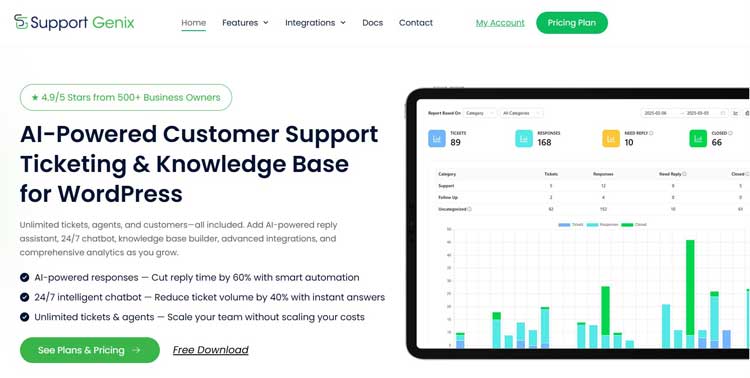
Support Genix is a WordPress-native support ticket plugin built for websites, online stores, and digital product businesses that want to manage customer conversations from their existing dashboard. Its WooCommerce integration can connect tickets with store and order information, helping agents investigate purchase-related requests with less context switching.
The pricing model is based on website coverage rather than the number of agents. All current paid plans include unlimited tickets, unlimited users, unlimited email-to-ticket usage, AI-powered features, a knowledge base, smart analytics, updates, support, and access to all listed features.
Why it stands out
- Tickets stay inside the WordPress admin area
- Unlimited agents, customers, and tickets support team growth
- WooCommerce integration connects store and order information to tickets
- Email-to-ticket converts incoming support messages into trackable requests
- A built-in knowledge base supports customer self-service
- An AI chatbot can use approved knowledge base content to answer questions
- Article suggestions can surface relevant documentation before ticket submission
- Saved replies, ticket assignment, priorities, categories, and agent roles support structured workflows
Why businesses choose Support Genix
Support Genix is built specifically for WordPress businesses that want their support workflow connected with their website and online store. Instead of treating the website, help desk, order history, and documentation as separate systems, it brings those activities closer to the environment your team already manages.
This approach is particularly useful for growing support teams. Website-based licensing and unlimited-agent access can make team expansion more predictable than a model that charges for every additional support user.
Best use case
Choose Support Genix when your store team spends most of the day in WordPress and wants one connected support workflow. It is one of the most direct Freshdesk replacement tools for teams trying to reduce per-agent costs and avoid switching between a SaaS help desk and the store dashboard.
Who should not choose it?
Support Genix may not be the right fit if your business needs a fully managed SaaS help desk with built-in enterprise communication channels across multiple external platforms. It also requires your team to maintain a reliable WordPress environment, including hosting, updates, backups, security, and database performance.
2. Fluent Support
Fluent Support is another self-hosted help desk that runs inside WordPress. It offers unlimited agents and tickets, email piping, reporting, automation, and integrations for common WordPress business workflows.
Its regular single-site price was listed at $129 per year when checked in September 2026, although promotional pricing was also displayed. Higher plans cover more websites and business email connections.
Why it stands out
- Native WordPress ticket management
- Unlimited agents and ticket volume
- Multiple business inbox options on paid plans
- Automation and reporting tools
- Useful connections for teams already using products from the same ecosystem
- WooCommerce support for linking customer and order information
Best use case
Fluent Support is a strong choice when your company already relies on its related marketing or automation tools. The shared ecosystem can make setup and data flow more familiar.
Main limitation
The pricing page reviewed offered annual licenses rather than lifetime plans. Compare the renewal cost, domain allowance, and email-piping limits with your expected growth.
3. SupportCandy

SupportCandy is a long-established WordPress help desk with a flexible core and extension system. It suits teams that want detailed control over ticket fields, forms, notifications, workflows, and integrations.
Its regular annual pricing started at $79 for one website when checked in September 2026, while promotional discounts were displayed. Lifetime licenses were also available.
Why it stands out
- Self-hosted ticket management
- Unlimited tickets and agents in the core product
- Strong customization options
- Email piping choices
- WooCommerce integration availability
- Annual and lifetime license options
- A modular structure for adding specialized capabilities
Best use case
SupportCandy works well for a support manager who has clear process requirements and is willing to configure the system carefully. It can adapt to detailed ticket forms and department-specific workflows.
Main limitation
Flexibility can create complexity. Audit which extensions and settings you truly need before rollout so agents are not presented with an overloaded ticket interface.
4. WSDesk
WSDesk is a self-hosted help desk designed for WordPress and WooCommerce. It supports ticket management, email workflows, unlimited agents, and store-related ticket context.
A single-site annual license was listed at around $79 to $99 across the official marketplace and vendor information available in September 2026. Because pricing can vary by sales channel or promotion, confirm the checkout price directly.
Why it stands out
- Runs in WordPress
- Built with WooCommerce support workflows in mind
- Unlimited agents and tickets
- Email-based ticket conversion
- Automation and trigger options
- Store and product information can support faster investigation
Best use case
WSDesk is a practical Freshdesk alternative for teams that primarily handle support through email and want to retain a self-hosted setup. It is especially relevant when order questions make up a large share of the queue.
Main limitation
Advanced configurations can take time to test. Plan a staging rollout for email fetching, triggers, notifications, and ticket permissions before enabling it for every customer.
5. ThriveDesk
ThriveDesk is a hosted help desk with a WordPress and WooCommerce connection. Unlike a fully native plugin, it provides the support workspace as a managed service while bringing store details and commerce actions into the agent experience.
Its published monthly plans started at $29 when checked in September 2026. Higher plans increased the team allowance and expanded features, while a top tier offered unlimited teammates.
Why it stands out
- Hosted shared inbox
- WooCommerce customer and order context
- Live chat and knowledge base capabilities
- Automation options
- Managed infrastructure
- Higher plans for larger teams
Best use case
Choose ThriveDesk when you want strong WooCommerce context but do not want your primary support application to depend entirely on your WordPress hosting. It offers a middle ground between a traditional SaaS platform and a store-focused workflow.
Main limitation
It adds a separate hosted dashboard and recurring monthly cost. Check which plan includes the inboxes, knowledge base, teammates, automation, and branding controls your team needs.
6. Awesome Support
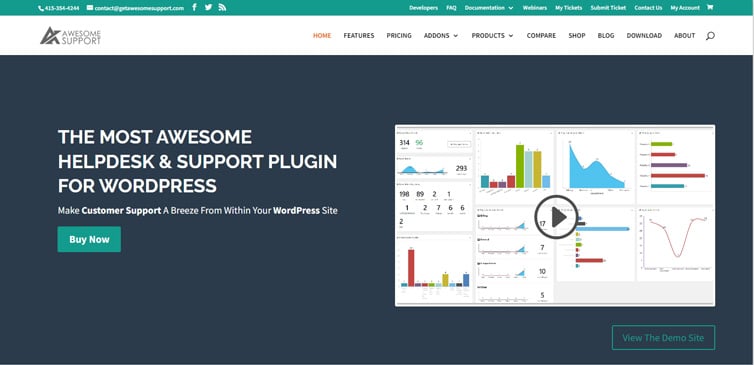
Awesome Support is a modular WordPress ticketing plugin with a free core and a broad range of paid extensions or bundles. It has been built for teams that need a configurable help desk and are comfortable selecting the components required for their process.
Paid bundles were listed from $149 per year when checked in September 2026. The final cost depends on the functionality and integration package you select.
Why it stands out
- WordPress-native ticketing
- Free core plugin
- Large extension library
- WooCommerce integration availability
- Agent assignment and ticket history features
- Useful for specialized or heavily customized support processes
Best use case
Awesome Support is worth considering when modularity matters more than a simple all-in-one package. It may suit an established team that knows exactly which integrations and workflow extensions it requires.
Main limitation
The modular model makes total cost less obvious at first glance. Build a complete required-feature list before comparing its price with bundled alternatives to Freshdesk.
Which Freshdesk alternative is best?
The best option depends on where your support team works and how much commerce context it needs.
- Choose Support Genix if you want native WordPress ticketing, WooCommerce order context, unlimited agents, a knowledge base, and AI-assisted self-service in one system.
- Choose Fluent Support if you want a polished native help desk and already use related tools from its ecosystem.
- Choose SupportCandy if detailed customization and lifetime licensing are major priorities.
- Choose WSDesk if WooCommerce and email-based support are central to your workflow.
- Choose ThriveDesk if you prefer hosted infrastructure, live chat, and strong store integration.
- Choose Awesome Support if you want a mature modular system and do not mind assembling the required extensions.
For most WordPress and WooCommerce teams, the first decision should be native versus hosted. Once that is clear, compare order context, knowledge workflows, agent limits, and total annual cost.
A practical WooCommerce workflow
Consider a five-agent store that receives repeated questions about late deliveries, damaged products, refunds, and account access.
With a disconnected help desk, an agent opens the ticket, asks for an order number, searches the store dashboard, verifies the email address, checks the order, and then returns to the support workspace. That workflow adds several steps to every order-related request.
With a WooCommerce-focused Freshdesk alternative, the process can be shorter:
- The customer creates a ticket and provides an order ID.
- The system validates or associates the order with the customer.
- The agent opens the ticket and reviews order context beside the conversation.
- A saved reply provides the standard policy language.
- The agent personalizes the response based on the actual order status.
- The ticket is assigned, tagged, and moved to the correct status.
- If the question is repetitive, the team creates or updates a knowledge base article.
- Article suggestions or a grounded chatbot answer the same documented question for future customers.
This workflow does more than replace Freshdesk. It connects support operations to the store data and documentation process.
How to set up a native alternative
The exact interface varies, but a reliable implementation follows the same sequence.
Step 1: Audit your current Freshdesk workflow
Document your ticket sources, agent roles, categories, priorities, saved replies, automations, reports, and knowledge articles. Identify what is essential, what is rarely used, and what should not be migrated.
Step 2: Create a staging environment
Install and test the new plugin on staging first. Confirm compatibility with your theme, checkout customizations, caching, security tools, mail delivery, and user-role setup.
Step 3: Configure the support portal
Create the customer-facing support page. Add clear categories such as Orders, Shipping, Returns, Billing, Product Help, and Account Access.
Keep the form short. Ask only for information that helps route or resolve the request.
Step 4: Connect email
Configure email-to-ticket so messages sent to your support inbox become trackable tickets. Test new messages, customer replies, agent notifications, attachments, and sender identity.
Step 5: Add WooCommerce order context
For Support Genix Pro, open the integration settings, choose whether the store is on the same site or an external site, and complete the required configuration. You can display store and order fields, verify customer email addresses, and control whether certain order statuses can create tickets.
For an external store, create the required store credentials and webhook connection. Test with a non-production order before enabling automation.
Read the WooCommerce integration setup guide for the same-site and external-store configuration steps.
Step 6: Build the knowledge base
Start with the questions your team answers most often. Create one article for one clear problem, such as “How to find your tracking number” or “How to request a return.”
Organize articles by category and tag. Use descriptive titles, numbered steps, screenshots where necessary, and a clear escalation path. See how to add knowledge base articles before preparing chatbot content.
Step 7: Configure the AI chatbot
In Support Genix, enable the chatbot in the AI tools settings and configure a supported AI provider. Choose where the chatbot appears, customize its welcome and fallback text, and match its primary color to your support experience.
The AI feature requires a valid provider configuration. Treat provider usage and privacy terms as part of your implementation review. Follow the complete guide to set up the AI chatbot.
Step 8: Train it with approved content
Publish accurate knowledge base articles before relying on automated answers. The chatbot can use those articles as its support context.
You can also mark selected articles for chatbot use without displaying them publicly. This is helpful for internal answer guidance, but the content still needs an owner and a review schedule.
Learn how to train the AI chatbot with your knowledge base.
Step 9: Enable article suggestions
Turn on documentation suggestions for ticket creation. Set a useful heading and limit the number of suggestions so customers are not overwhelmed.
Article suggestions should help customers solve a problem before submitting a ticket. They should not block access to a human agent.
Use the article suggestions setup guide to configure this workflow.
Step 10: Review conversations
Review chatbot conversations, unresolved questions, unhelpful feedback, and repeated escalations. Each failure can reveal a missing article, a weak title, outdated instructions, or an unclear policy.
The guide to managing and reviewing chatbot conversations explains where to inspect chatbot interactions. This creates a continuous improvement loop: tickets inform documentation, documentation improves self-service, and conversation reviews identify the next content gap.
Migration Checklist
Use this checklist before replacing Freshdesk:
- Export ticket records, customer data, contacts, and knowledge content allowed by your plan
- Document ticket fields, statuses, tags, groups, roles, and automations
- Confirm what the new tool can import automatically
- Decide how long historical tickets must remain searchable
- Map agents and permissions
- Rebuild only the workflows your team still uses
- Configure authenticated email sending and receiving
- Connect the WooCommerce store and test order visibility
- Test portal access for logged-in and logged-out users
- Test customer and agent notifications
- Add redirects if knowledge article URLs change
- Train agents on ownership, escalation, notes, and closure rules
- Run both systems for a short validation period if practical
- Keep a rollback and data-retention plan
Do not cancel the old account until exports have been verified and the new workflow has passed real-world tests.
Common selection mistakes
Choosing by feature count
A long feature list can hide poor workflow fit. Prioritize the capabilities your agents use every day.
Ignoring renewal cost
A discounted first year is not the long-term cost. Compare regular renewal pricing, required add-ons, and expected agent growth.
Assuming every integration is equal
Some integrations only display basic customer data. Others connect tickets to orders, validate ownership, or support automated ticket creation. Test the actual workflow you need.
Automating weak documentation
An AI chatbot cannot fix inaccurate policies or incomplete instructions. Improve the knowledge source before increasing automation.
Skipping performance planning
A native plugin shares your WordPress environment. Review hosting resources, database growth, caching exclusions, backups, and security before migrating a busy help desk.
Support Genix pricing plans
Support Genix offers recurring and lifetime plans based on the number of websites. Every paid plan currently includes unlimited tickets, unlimited users, unlimited email-to-ticket usage, AI writing features, an AI-powered chatbot, a knowledge base, smart analytics, and all listed features.
Recurring plans
| Plan | Websites | Price | Billing |
|---|---|---|---|
| Half-Year Haven | 5 | $59 | Every six months |
| Developer | 5 | $99 | Yearly |
| Agency | 100 | $149 | Yearly |
The recurring plans display a $1 first-month trial offer. Confirm current campaign terms and checkout pricing before purchasing.
Lifetime plans
| Plan | Websites | Price | Billing |
|---|---|---|---|
| Personal | 1 | $149 | One-time lifetime payment |
| Developer | 5 | $399 | One-time lifetime payment |
| Agency | 100 | $699 | One-time lifetime payment |
Support Genix
WordPress Support Ticket Plugin
Take Your Customer Support to The Next Level and Boost Customer Satisfaction Rates
Frequently asked questions
What is the best Freshdesk alternative for WordPress?
Support Genix is a strong choice for teams that want native WordPress ticketing, unlimited agents, WooCommerce order context, a knowledge base, and AI-assisted support. The best choice still depends on whether you prefer self-hosted or vendor-hosted infrastructure.
Is there a free Freshdesk alternative for WordPress?
Yes. Several WordPress help desk plugins offer a free core version, including Support Genix, Fluent Support, SupportCandy, WSDesk, and Awesome Support. Compare the paid features carefully because email piping, advanced WooCommerce capabilities, automation, or integrations may require an upgrade.
Which Freshdesk Alternatives support WooCommerce?
Support Genix, Fluent Support, SupportCandy, WSDesk, ThriveDesk, and Awesome Support provide WooCommerce-related capabilities or integrations. The depth differs, so test whether the tool displays order details, verifies customers, links tickets to orders, and supports the actions your agents need.
Can I manage support tickets inside WordPress?
Yes. A WordPress-native help desk lets agents create, assign, reply to, categorize, prioritize, and close tickets from the admin dashboard. This can reduce context switching for teams already managing website and store operations there.
Are WordPress-native help desks cheaper than Freshdesk?
They can be cheaper for multi-agent teams because many use website-based licensing and allow unlimited agents. Calculate the full cost, including hosting, premium add-ons, AI usage, maintenance time, renewals, and migration work.
What should I migrate from Freshdesk?
Migrate the customer and ticket history you need, active agents, essential fields, categories, saved replies, current automations, and accurate knowledge articles. Remove obsolete workflows and duplicate content rather than reproducing every old setting.
Does Support Genix show WooCommerce order information in tickets?
Its WooCommerce integration is designed to connect order information with the support workflow. Depending on the setup, teams can configure same-site or external-store connections, show store and order fields, validate customer details, and create tickets from order events.
Can an AI chatbot replace support agents?
No. A chatbot is best for repetitive, well-documented questions. Customers still need a clear path to a human for exceptions, account-sensitive requests, complaints, complex troubleshooting, and cases where the available documentation does not answer the questio
Conclusion
The best Freshdesk Alternatives for WordPress are not simply cheaper copies of a hosted help desk. They offer a different operating model: support can live closer to your website, customer accounts, documentation, and WooCommerce orders.
Support Genix is a strong product-led option when you want native ticketing, unlimited agents, order context, and knowledge-driven AI support in one WordPress workflow. Fluent Support, SupportCandy, WSDesk, ThriveDesk, and Awesome Support each make sense for different ecosystem, hosting, customization, and channel priorities.
Choose your alternative by testing a real support scenario. Connect an order, receive a customer email, assign the ticket, review the purchase context, send a saved reply, surface a knowledge article, and escalate from chatbot to agent. The tool that handles that full journey with the least friction is the right choice for your team.
Ready to connect support tickets with store order context? Try the WooCommerce integration with Support Genix and test the complete workflow using a real staging order.