6 Best WordPress Ticket Management Plugins

If you handle customer questions through plain email, contact forms, or blog comments, support quickly becomes messy and hard to track. A WordPress ticket management plugin gives you a structured way to organize requests, assign them to agents, and respond faster – all from a central dashboard.
Recent research shows that 46% of customers expect a reply within 4 hours, yet the average response time is still more than 12 hours, and 52% of customers stop buying from companies that respond too slowly.
Another study found that 49% of consumers stopped working with at least one company in the past year due to poor customer service. A dedicated ticket management system helps close this gap by organizing requests and ensuring nothing slips through the cracks.
In this guide, you’ll discover 6 of the best WordPress ticket management plugins (including both native WordPress plugins and SaaS help desks that integrate with WordPress). For each tool, you’ll see its key features, pricing, and the type of business it’s best suited for, so you can confidently choose the right solution for your site.
What is a WordPress Ticket Management Plugin?
A WordPress ticket management plugin is a tool that turns customer inquiries into trackable tickets inside your website or connected help desk system.
Instead of losing messages in a shared inbox, each support request becomes a ticket with:
- A unique ID
- Priority and status (open, pending, resolved, closed)
- Assigned agents and internal notes
Customers can submit tickets from your website (for example, from a support page, account page, or WooCommerce order page), and your team can manage everything from a single interface.
Many plugins also support email-to-ticket conversion, canned responses, automation rules, and reporting.
This kind of system is valuable for:
- WooCommerce stores handling order, shipping, or refund questions
- Membership or e‑learning sites supporting paying members
- Agencies and SaaS products providing ongoing client support
Studies on modern ticketing systems show that businesses can increase customer satisfaction scores by 20–50%, cut average wait times by 40–60%, and improve first-contact resolution rates by 25–35% after adopting a structured ticketing process.
Benefits of Using WordPress Ticket Management Plugin
Choosing the right ticket management solution offers several important benefits:
1. Centralized communication
All support conversations live in one place instead of being scattered across inboxes or chat apps. This reduces missed messages and duplicate replies.
In one ticketing case study, a small e‑commerce business reduced its average resolution time by 62% (from 48 hours to 18 hours), increased customer satisfaction from 68% to 89%, and cut support cost per ticket by 37.5%, translating into annual savings of 81,000 USD.
2. Faster response times
Features like canned replies, automation, and ticket routing help your agents respond more quickly and consistently, even as your support volume grows.
Fast, well-organized responses are not just “nice to have”—they directly impact satisfaction. Research shows that improving response times with modern ticketing systems can boost customer satisfaction scores by up to 85%.
3. Better organization and prioritization
Tickets can be categorized, tagged, and prioritized, so urgent issues reach the right person, and nothing falls through the cracks.
4. Improved customer experience
Customers can see the status of their requests, get email updates, and reply from a familiar interface – which leads to higher satisfaction and retention.
Across multiple studies, roughly 90% of customers say that an “immediate” response is important when they have a support question, and over 80% of support leaders see fast, personalized service as a key competitive advantage.
5. Actionable insights
Many tools provide reports on ticket volume, response times, and agent performance, so you can spot recurring issues and improve your product or service.
The global help desk and support software market is projected to grow from around 14.3 billion USD in 2025 to 35.0 billion USD within the next decade, underlining how central structured ticketing and support tools have become to modern businesses.

The 6 Best WordPress Ticket Management Plugins
Support Genix
Type: Native WordPress plugin
Best for: WooCommerce stores, agencies, SaaS products, and service businesses that want a powerful, self‑hosted help desk with no per‑agent fees.
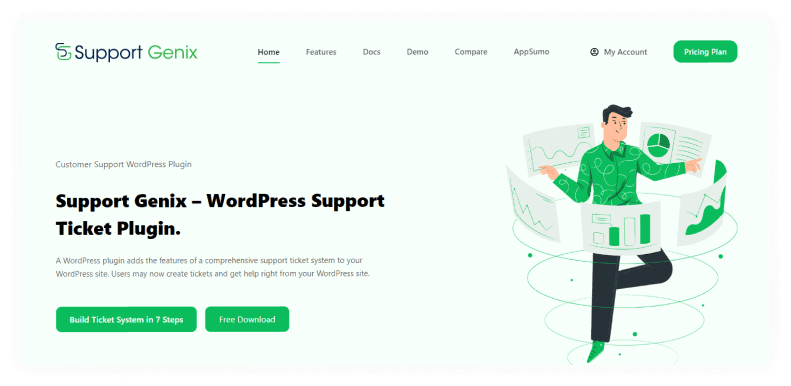
Support Genix has evolved beyond a simple ticket plugin into a full WordPress support platform with AI features. It integrates natively with WordPress and WooCommerce, and now includes AI-assisted replies, an AI chatbot, a built‑in knowledge base, and smart analytics.
According to Support Genix’s own performance benchmarks, combining AI reply suggestions and the AI chatbot can reduce ticket volume by up to 40% and improve response times by around 60% for typical teams.
Key Features
- Unlimited tickets, users, and agents – no per‑agent licensing limits.
- AI features built‑in – “Help Me Write” AI reply assistant, AI-powered chatbot, and AI‑assisted knowledge base article generation.
- Email to ticket & email piping – convert support emails into tickets automatically.
- Knowledge base module – manage articles inside WordPress, with AI writer support.
- Smart analytics & reporting – track ticket load, response times, and agent performance.
- Native WooCommerce integration – link tickets to orders and customers.
- Elite Licenser integration – license-aware support for software products.
- Webhook & integrations – connect to tools like FluentCRM, BetterDocs, Slack, and more.
- Role-based access & multiple agents per ticket – flexible team permissions.
Pricing:
Support Genix frequently runs promotions, but the current standard structure is:
- Half‑Year plan (5 websites): around 59 USD for 6 months.
- Yearly plans:
- Developer: 99 USD/year (5 websites)
- Agency: 149 USD/year (100 websites)
- Lifetime plans:
- Personal: 149 USD (1 website)
- Developer: 399 USD (5 websites)
- Agency: 699 USD (100 websites)
All paid plans include all pro features, AI tools, unlimited tickets and users, and updates/support for the active license term.
Support Genix is an excellent choice if you want an AI-augmented, self‑hosted support desk inside WordPress, especially for WooCommerce stores and agencies managing multiple client sites.
SupportCandy
Type: Native WordPress plugin
Best for: WordPress site owners who want a fast, AJAX‑based help desk with unlimited tickets and agents, plus powerful custom fields and filters.
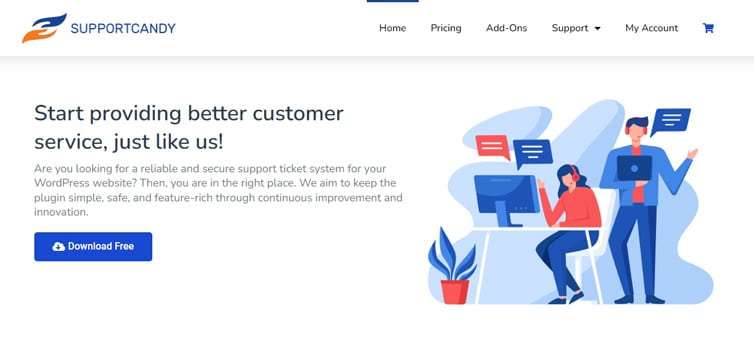
The SupportCandy plugin is one of the popular WordPress ticket management plugins that is designed to help businesses optimize their resources, reduce costs associated with problem resolution, maintain better communication with customers, and deliver more timely resolutions.
This feature-rich WordPress support ticket plugin has been available for years, allowing users to make the most of intuitive ticketing systems, comprehensive knowledge bases and FAQs, live chat capabilities, and more. Furthermore, Support Candy is easy to configure and access; it also comes with detailed documentation to ensure smooth implementation.
Key Features
- Unlimited tickets, agents, and customers in the core plugin.
- AJAX-based interface for faster ticket list and form interactions.
- Custom statuses, priorities, categories, and tags.
- Advanced custom filters and saved searches for both agents and customers.
- Private notes for internal agent collaboration.
- Guest tickets and OTP login so customers can create and access tickets without an account.
- Rich-text editor and file attachments in tickets.
- Working hours, holidays, and SLA-aware settings (with add-ons).
- GDPR compatibility with data retention and deletion tools.
- Optional add-ons for productivity automation, reporting, and LMS integrations (LifterLMS, Tutor LMS, LearnPress, etc.).
Pricing:
SupportCandy has:
- Free version: core ticketing, unlimited tickets/agents/customers.
- Premium licenses (typical range):
- Personal / single site: around 79 USD/year
- Professional: around 149–179 USD/year (multiple sites)
- Agency / higher tiers: around 299 USD/year or above
Exact names and prices may vary slightly by region or promotion, but the general structure is a low-cost license plus optional paid add‑ons.
SupportCandy is ideal if you want a fast, lean WordPress help desk with plenty of customization, and do not want to pay per agent.
Help Scout
Type: SaaS help desk (hosted), with WordPress integration
Best for: Growing teams that want a shared inbox + knowledge base + live chat in a clean, email‑like interface, with modern AI features.
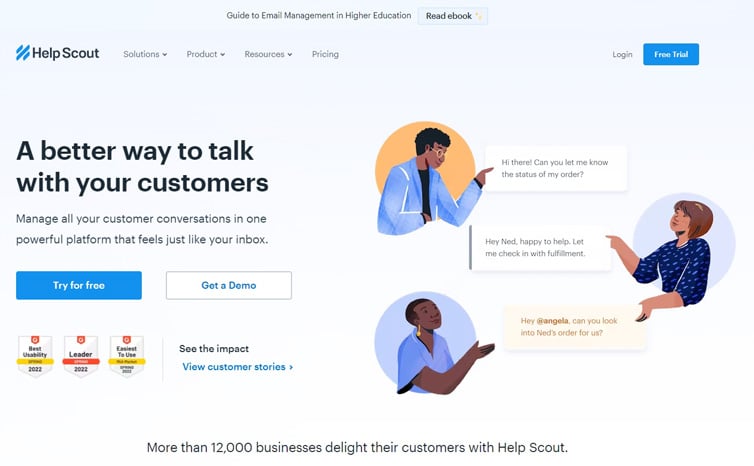
Help Scout is the ultimate customer support platform for any growing business. It’s like having your own personal customer-experience team in your back pocket! Help Scout allows you to manage support requests easily, create a wealth of Knowledge Base articles, and streamline operations with automated workflows.
With Help Scout, creating new articles is quick and easy, and the organization and search tools enable users to search for the info they need easily. Plus, its Docs Reports feature holds many insights into which content works well and where it may have some room for improvement.
All these features give companies in the customer service industry the ability to optimize their resources and offer an outstanding customer experience.

Key Features
- Shared inboxes for multiple teams and brands.
- Docs knowledge base with multiple sites and categories.
- Beacon widget for live chat, self-service, and in‑app messages.
- AI features across plans – AI drafts, AI search/answers in Beacon, and workflow assistance.
- Customer profiles & properties – see history, attributes, and satisfaction in one place.
- Advanced reports and dashboards to track volume, response time, SLAs, and CSAT.
- Workflows for auto-tagging, routing, escalation, and follow‑ups.
- Integrations with tools like Salesforce, HubSpot, Jira, and 100+ other apps.
Pricing-
Help Scout’s exact structure is evolving, but current public information shows:
- Free: limited contacts and features for very small teams.
- Standard: typically around 25 USD/user/month (billed annually) or slightly more monthly, with multiple inboxes and Docs sites.
- Plus: around 45–75 USD/user/month, adding advanced workflows, additional integrations (Salesforce, Jira, HubSpot), and team features.
- Pro / Enterprise: custom pricing, starting from higher contact volumes and including dedicated onboarding, SSO/SAML, and advanced security.
Help Scout is a strong fit if you want a modern, AI‑enhanced shared inbox and knowledge base with a straightforward experience and solid WordPress integration, and you are comfortable with a subscription model.
Zendesk
Type: SaaS help desk and CX platform, with WordPress integrations and widgets
Best for: Medium to large organizations needing omnichannel support, advanced automation, analytics, and enterprise security/compliance.
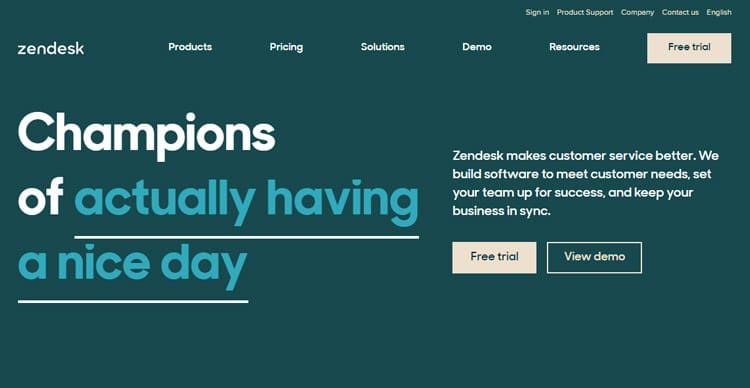
Zendesk provides one of the most comprehensive customer experience suites on the market. While it is not a native WordPress plugin, official and third‑party integrations let you add Web Widget, contact forms, and help center search to your WordPress site, routing everything into Zendesk.
With its robust set of features and functionality, this WordPress support ticket plugin can be customized to fit individual business requirements. By leveraging flexible pricing plans, integrated apps, and integrations designed to meet specific needs, businesses of all sizes can benefit from easy-to-use tools to help satisfy customers and build stronger brand loyalty.
Whether you’re a small start-up or a multinational corporation, Zendesk has the tools necessary to support your success.
Key Features
- Zendesk Suite omni‑channel support – email, live chat, messaging (web/mobile), voice, and social channels.
- Robust ticketing workflows with automations, triggers, and macros.
- Zendesk Guide knowledge base and help center.
- Zendesk Explore for advanced reporting and analytics.
- AI bots and AI‑assisted support in higher‑tier plans.
- SLAs, skills-based routing, and advanced views for large support teams.
- Integrations and marketplace apps for CRM, e‑commerce, and internal tools.
- Enterprise features like SSO/SAML, HIPAA options, sandbox environments, and granular roles.
Pricing:
Zendesk maintains a complex pricing structure, but current guides summarize the Suite plans roughly as:
- Suite Team: about 55 USD/agent/month (annual) – unified ticketing and core multichannel support.
- Suite Growth: about 89 USD/agent/month (annual) – adds SLAs, multilingual support, multiple ticket forms, and more advanced analytics.
- Suite Professional: about 115 USD/agent/month (annual) – adds skills‑based routing, HIPAA options, deeper analytics, and more.
- Suite Enterprise: from around 169 USD/agent/month (annual) – adds sandboxes, custom roles, advanced AI, and large‑scale configuration.
There are also entry‑level Support‑only plans starting around 19 USD/agent/month for basic ticketing, but most WordPress businesses interested in omnichannel and automation usually look at Suite Team or higher.
Zendesk is best for organizations that want a central CX platform across multiple brands and channels, and will use WordPress primarily as a front‑end for forms and help center access.
Awesome Support
Type: Native WordPress plugin
Best for: WordPress power users and agencies needing fine‑grained control, add‑on bundles, and self‑hosted data.
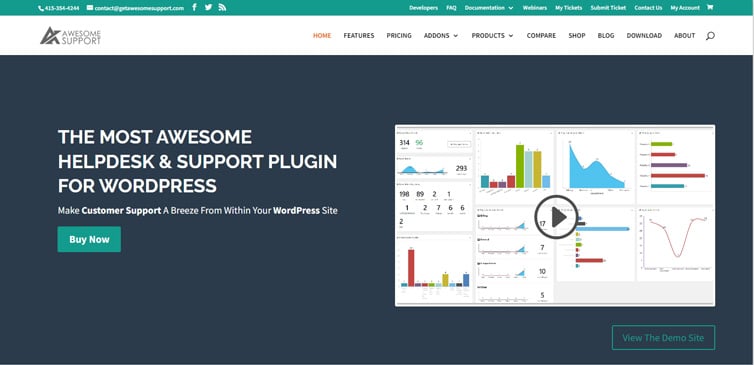
Awesome support is setting the bar for customer service platforms – there’s no doubt about it. With an array of features and options, the WordPress plugin can be tailored to the needs of any business, large or small. Its user-friendly interface helps even tech-averse users make full use of its comprehensive range of tools, while powerful automation abilities place Awesome Support among top SAAS solutions like Support Genix.
This powerful plugin makes it easy to manage tickets, add chat functionality, and gather valuable customer feedback – all within a sleek, intuitive interface. Additionally, Awesome Support helps you take full control of the process and customize everything to best fit your customers’ needs.
Key Features
- Unlimited tickets and agents in premium bundles.
- Frontend ticket submission for users and guests.
- Custom fields and custom statuses/labels.
- Private notes and internal collaboration.
- Email notifications and canned responses.
- File attachments and unlimited ticket history.
- WooCommerce bridge to link tickets to orders (via add‑on).
- Add‑ons for SLAs, time tracking, paid support, documentation, smart replies, remote tickets, PowerPack, and more.
Pricing
Awesome Support uses bundle pricing for its add‑ons:
- Standard Bundle: 149 USD/year – unlimited tickets/agents, core add‑ons for most small businesses.
- Pro Bundle: 229 USD/year – additional add‑ons for more advanced needs.
- Enterprise Bundle: 289 USD/year – extended add‑ons and more advanced features.
- Agency Bundle: 409 USD/year – nearly all add‑ons, best for agencies and large operations.
The base plugin is free on WordPress.org, and individual add‑ons can also be purchased separately if you only need specific functionality.
Awesome Support is a strong choice if you want a highly extensible, self‑hosted help desk that grows via add‑ons, and you are comfortable configuring WordPress plugins in depth.
Live Agent
Type: SaaS help desk, with WordPress integration
Best for: Teams that want an all‑in‑one help desk with ticketing, live chat, and a call center, without managing servers.
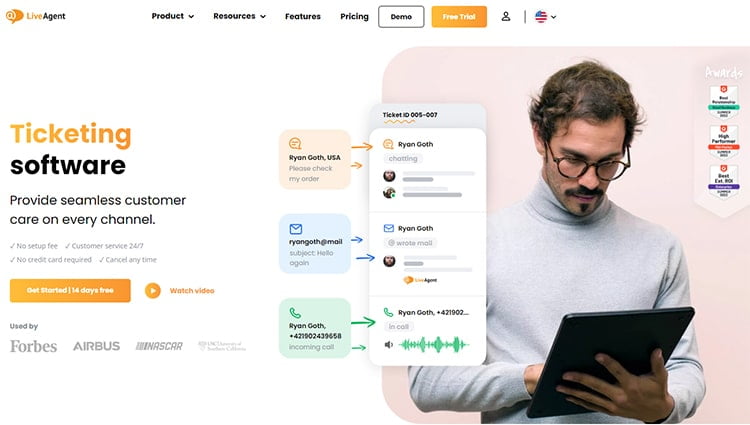
LiveAgent stands out from other ticketing software with its efficient and user-friendly interface. Its multitude of features can provide you with the flexibility needed to tackle customer service issues quickly and effectively.
It allows you to sort inquiries by department, filter conversations by status, or use business rules to automate your workflow. With LiveAgent, gaining control over all customer service inquiries is no longer a challenge.
Additionally, LiveAgent’s powerful integration features are very impressive and make managing customer service easier than ever. Connecting ticketing software with CRM, accounting, live chat, and social media platforms creates an ideal environment for seamless workflows. This is essential in order to effectively manage customer service with maximum efficiency.
Key Features
- Unified ticketing across channels – email, contact forms, customer portal.
- Live chat widget with real‑time monitoring and proactive chat invites (in higher plans).
- Call center features – VoIP integration, call routing, IVR (in medium/large/enterprise tiers).
- Knowledge base and customer portal.
- Agent collision detection and agent ranking.
- Automated ticket distribution and rules.
- Canned messages, macros, and templates.
- Rich reporting and SLAs in higher plans.
- Integrations with CRM, e‑commerce, email marketing, and analytics tools.
Pricing
LiveAgent offers per‑agent pricing with annual and monthly billing options. Current public ranges are approximately:
- Free: limited help desk features for very small teams.
- Ticket: from about 15 USD/agent/month (annual) – email ticketing and portal, without live chat or call center.
- Ticket + Chat: from about 29 USD/agent/month (annual) – adds live chat.
- All‑inclusive / Large Business: from about 49–59 USD/agent/month (annual) – full multichannel, including call center and social channels.
- Enterprise: often around 69–85 USD/agent/month with advanced options and support.
Exact names (Small, Medium, Large, Enterprise) and numbers can vary with promotions, but LiveAgent remains one of the more competitively priced omnichannel help desks.
LiveAgent is well-suited for teams that want a hosted, multichannel support hub with strong WordPress integration, but prefer per‑agent SaaS pricing over managing plugins and servers.
Quick Comparison: Best WordPress Ticket Management Plugins
| Plugin | Type | Best for | Starting price* |
|---|---|---|---|
| Support Genix | Native WordPress plugin | WooCommerce stores & small/medium businesses | From 59 USD/Half year |
| Support Candy | Native WordPress plugin | WordPress sites needing flexible custom fields | From 59 USD/year |
| Help Scout | SaaS with WP integration | Growing teams wanting shared inbox & knowledge base | From 20 USD/user/month |
| Zendesk | SaaS with WP integration | Larger teams & enterprises needing multichannel | From 49 USD/agent/month |
| Awesome Support | Native WordPress plugin | WordPress power users wanting deep customization | From 149 USD/year |
| LiveAgent | SaaS with WP integration | Multichannel support with live chat & call center | From 15 USD/agent/month |
Support Genix
WordPress Support Ticket Plugin
Take Your Customer Support to The Next Level and Boost Customer Satisfaction Rates
Frequently Asked Questions
What is the difference between a WordPress ticket plugin and a SaaS help desk?
A WordPress ticket plugin runs directly inside your WordPress site. Tickets, settings, and customer data are stored in your own database, and you usually pay a flat yearly or lifetime license (often per site or per number of sites).
Examples include Support Genix, Support Candy, and Awesome Support.
A SaaS help desk (like Help Scout, Zendesk, or LiveAgent) is a hosted platform. Your support data lives on their servers, and you manage everything from their dashboard while using a WordPress integration or widget to collect tickets from your site.
Pricing is usually per agent per month but comes with advanced features and multichannel support (email, chat, phone, social).
If you prefer control, simplicity, and predictable costs, a native WordPress plugin is often best. If you need enterprise‑grade features and multichannel communication, a SaaS help desk may be the better choice.
Do I really need a ticket management plugin for my WordPress site?
If you only receive a few occasional emails, you might manage without one. But as soon as you:
1. Run a WooCommerce store,
2. Offer membership, courses, or digital products, or
3. Provide ongoing client or SaaS support,
a ticket management system becomes extremely useful. It centralizes all conversations, helps you prioritize urgent issues, and prevents messages from slipping through the cracks.
Even a small team can look more professional and responsive with a proper ticketing workflow in place, especially when nearly 90% of customers say an “immediate” response is important.
Can I use live chat and tickets together on my WordPress site?
Yes. Many tools in this list support live chat and ticketing together:
1. Help Scout offers Beacon for live chat and instant answers.
2. Zendesk and LiveAgent both include chat as part of their multichannel support suites.
3. Some WordPress plugins can be combined with separate chat plugins or services if chat is not built in.
Live chat is now one of the highest‑rated support channels, with satisfaction scores in the 73–88% range—significantly higher than email (around 61%) and phone support (around 44%). That’s why tools like Help Scout, Zendesk, and LiveAgent emphasize real‑time chat alongside traditional ticketing.
A common setup is to offer live chat for quick questions and convert more complex or unresolved chats into support tickets for follow‑up.
Is it easy to migrate from one ticket system to another?
Migration is possible, but the difficulty depends on:
1. The source and target tools
2. Whether they support CSV export/import
3. How complex your data is (custom fields, tags, attachments, etc.)
Most modern help desks and WordPress plugins provide exports of tickets and user data. If you think you might switch in the future, choose tools that clearly support exporting your data, and keep your setup as clean and structured as possible.
Conclusion
A reliable ticket management system is no longer a “nice to have” for serious WordPress businesses. Whether you are running a WooCommerce store, a membership or course site, a service‑based business, or a SaaS product, the right support solution will help you:
- Centralize all customer conversations
- Respond faster and more consistently
- Track performance and spot recurring issues
- Deliver a smoother, more professional support experience
If you want everything inside WordPress, with predictable costs and full control over your data, start by evaluating Support Genix, Support Candy, and Awesome Support. These plugins give you robust ticketing without leaving your dashboard and are particularly well‑suited to small and medium‑sized businesses.
If you need multichannel, enterprise‑grade support with advanced automation and reporting, platforms like Help Scout, Zendesk, and LiveAgent connect your WordPress site to a powerful hosted help desk, ideal for larger teams and high‑volume support environments.
Across all of these options, the trend is clear: the help desk and support software market is expanding rapidly, expected to grow from 14.3 billion USD in 2025 to around 35.0 billion USD within the next decade—because customers demand faster, more personalized service than ever before.
In the end, the “best” plugin is the one that matches your current workflow, team size, and growth plans. Begin with the solution that fits your needs today—such as a focused WordPress plugin like Support Genix—and upgrade your setup as your support volume and business complexity increase. With the right ticket management system in place, you will not only save time but also build stronger, longer‑lasting relationships with your customers.