7 Best Zendesk Alternatives You Should Consider: Find the Best Help Desk Solution

Are you frustrated with your current Zendesk setup? You’re not alone. Thousands of businesses every year are actively searching for Zendesk alternatives because the platform has become too expensive, too complicated, or simply not the right fit for their specific needs.
If you’re a WordPress-based business, an eCommerce store, a startup with a limited budget, or an enterprise with complex workflows, you might be paying far more than necessary for customer support software that doesn’t align with how you actually work.
The Problem: Why Zendesk Might Not Be Right for You
Zendesk has dominated the customer support space for over a decade, but dominance doesn’t mean it’s the best choice for every business. In fact, many companies stick with Zendesk simply because they don’t realize better alternatives exist.
Here’s the reality:
Zendesk’s pricing model charges $49-$115+ per agent per month. For a team of just 10 support agents, you’re looking at $5,880 to $13,800 annually—and that’s before adding integrations, premium features, or custom development.
Beyond cost, Zendesk has other limitations:
- Complex interface with steep learning curve (8-16 hours of training per agent)
- Feature overload for teams that just need basic ticketing
- Poor WordPress integration (it’s a cloud-based external system)
- Limited customization without developer involvement
- Inflexible pricing that scales with every new team member
- Hidden costs for AI features, premium integrations, and advanced analytics
Most importantly: There are excellent alternatives that cost 50-90% less, implement faster, and work better for specific use cases like WordPress, WooCommerce, or small teams.
What This Guide Covers
In this comprehensive 2025 guide, we’ll explore:
- 7 powerful Zendesk alternatives with detailed pros, cons, and pricing
- Real cost comparisons showing how much you could save annually
- Implementation guides for smooth migration from Zendesk
- Detailed comparison table of 19 key features across all platforms
- Step-by-step selection process to find your perfect fit
- Expert FAQs addressing common switching concerns
Whether you’re a WordPress site owner, an eCommerce business, a growing SaaS company, or an enterprise with complex needs, this guide will help you find a better, more cost-effective solution.
Who Should Read This Guide?
This guide is perfect if you:
- Currently use Zendesk, but feel the pricing is unreasonable
- Run a WordPress or WooCommerce business
- Have a small support team (1-15 agents)
- Need better integration with your existing tools
- Want faster implementation and easier setup
- Require specific features Zendesk doesn’t emphasize
- We are evaluating customer support platforms for the first time
- Want to reduce your annual support software costs
How to Use This Guide
If you’re in a hurry:
- Skip to the Comparison Table for quick feature review
- Check the Cost Comparison section
- Review the specific platform that matches your situation
If you want to make an informed decision:
- Read the “Why Switch from Zendesk?” section
- Review each alternative’s detailed description
- Use the Step-by-Step Selection Process to evaluate options
- Test 2-3 platforms with free trials
If you’re ready to migrate:
- Reference the FAQs for common questions
- Jump to the Implementation Guide
- Use the provided checklists
Why Switch from Zendesk?
Zendesk is an industry-leading customer support platform, but it carries industry-leading prices. The platform uses a per-agent pricing model that can become prohibitively expensive as your team grows.
Zendesk Pricing Breakdown:
| Plan | Cost Per Agent/Month | Annual (10 agents) | Annual (25 agents) |
| Suite Team (Basic) | $49 | $5,880 | $14,700 |
| Suite Growth | $69 | $8,280 | $20,700 |
| Suite Professional | $99 | $11,880 | $29,700 |
| Suite Enterprise | $115+ | $13,800+ | $34,500+ |
For a 10-agent support team on the professional tier, you’re spending $11,880 per year minimum. Add implementation costs ($2,000-5,000), team training ($2,000-3,000), and integration development ($1,000-3,000), and your first-year investment easily exceeds $18,000-24,000.
Six Critical Reasons to Consider Switching
1. Cost is Out of Control
Zendesk’s per-agent model means every new hire increases your costs permanently. There’s no economy of scale, no volume discounts. For growing businesses, this becomes unsustainable.
Real Example: A SaaS company scaling from 10 to 30 agents over 2 years would spend:
- Year 1: $11,880 (10 agents)
- Year 2: $23,760 (20 agents)
- Year 3: $35,640 (30 agents)
- 3-Year Total: $71,280
Many alternatives with unlimited agents cost under $5,000 for the same 3-year period.
2. Too Many Features You Don’t Need
Zendesk is built for enterprise complexity. If you just need reliable ticketing and email management, you’re paying for hundreds of features you’ll never use. This creates:
- Overwhelming interface for new team members
- Steep onboarding learning curve (8-16 hours typical)
- Wasted time exploring confusing admin settings
- Slower implementation and time-to-productivity
3. Poor WordPress and WooCommerce Support
If you run a WordPress or WooCommerce business, Zendesk is fundamentally misaligned with your infrastructure. You get:
- External cloud-based system requiring separate logins
- No native integration with WooCommerce customer data
- Manual order lookups across systems
- Separated customer and support information
Better Option: Support Genix runs as a WordPress plugin with native WooCommerce integration.
4. Limited Customization Without Developer Costs
Zendesk’s customization often requires developer involvement. Building custom workflows, creating specialized automation, or adapting the platform to your specific processes becomes expensive consulting work.
Simpler alternatives like ProProfs Desk allow extensive customization through the user interface without code.
5. Integration Challenges
While Zendesk integrates with many platforms, integration quality varies wildly. Some integrations are:
- Shallow (limited data syncing)
- Expensive (premium add-ons required)
- Difficult to configure
- Requiring custom development
Alternatives often have better integrations with popular tools like Slack, HubSpot, and CRM systems.
6. Hidden and Growing Costs
Zendesk’s pricing page doesn’t tell the full story. Hidden costs include:
- Zendesk AI features: $100+ per 1,000 ticket resolutions
- Premium integrations: $50-200/month each
- Advanced analytics: Locked behind higher tiers
- Custom automation: Often requires professional services
- White-label options: Enterprise pricing only
Many customers discover their real Zendesk cost is 30-50% higher than the base subscription.
7 Best Zendesk Alternatives
Support Genix
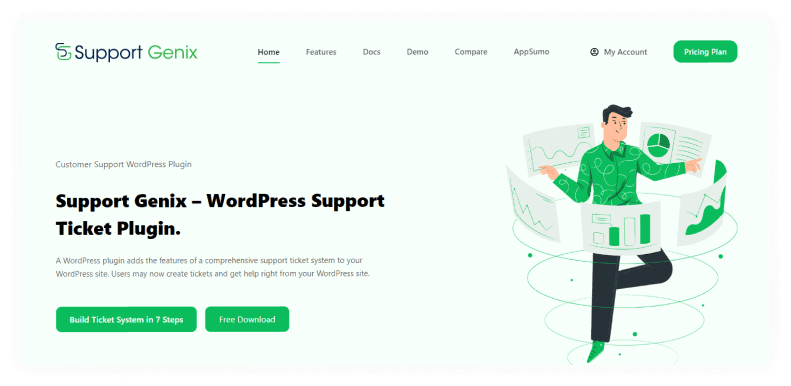
Support Genix is a purpose-built WordPress support ticket plugin designed for websites, online stores, and digital product businesses running on WordPress. Unlike cloud-based alternatives, Support Genix runs on your own server with zero per-agent fees.
Why WordPress Businesses Love Support Genix
Support Genix is fundamentally different from Zendesk because it works within WordPress rather than alongside it. Your support team logs into WordPress (where they already spend time), and everything is integrated:
- Support tickets appear in the WordPress admin
- WooCommerce customer data is automatically available in tickets
- Knowledge base articles live in WordPress
- Customer service data stays on your server
- No external logins required
This native integration creates a seamless workflow that cloud-based alternatives simply cannot match.
Comprehensive Features
Ticketing System
- Unlimited tickets and support agents (no per-user charges)
- Custom ticket fields matching your specific needs
- Ticket priority levels (urgent, high, medium, low)
- Intelligent ticket assignment and automatic routing
- Email-to-ticket automation via email piping
- Status tracking and resolution management
- Bulk ticket operations
- Mobile-responsive interface
Knowledge Base
- Built-in knowledge base system
- SEO-optimized articles for search engine visibility
- Category and tag organization
- Article versioning and revision history
- Syntax highlighting for code snippets
- Advanced search functionality
Multi-Channel Support
- Email ticket management
- Web form submissions
- WhatsApp messaging integration
- Social media support integration
- Unified inbox management
- Conversation threading
AI & Automation
- AI-powered chatbot trained on your knowledge base
- Automated email responses
- Smart ticket assignment rules
- Conditional workflow automation
- Canned responses and quick reply templates
- Automatic ticket categorization
WooCommerce Integration (Unique Feature)
- Native WooCommerce integration
- Automatic customer order history in tickets
- Product information lookup
- Purchase history visible to support agents
- Inventory status information
- Automatic order-related notifications
Additional Integrations
- Slack notifications
- Tutor LMS integration
- Webhook support for custom integrations
- Compatible with all WordPress contact form plugins
Advanced Features
- Role-based access control and permissions
- Custom user roles for specific access levels
- GDPR compliance tools
- Dark mode support
- Advanced analytics and reporting
- Ticket export functionality
- API access for developers
Pricing
Support Genix offers the most flexible pricing in the industry:
Yearly Plans (Recommended)
- Personal: $59/year (1 website, unlimited agents)
- Developer: $99/year (5 websites, unlimited agents)
- Agency: $149/year (100 websites, unlimited agents)
Lifetime Plans (One-Time Payment)
- Personal: $99 (one-time, 1 website, unlimited agents forever)
- Developer: $199 (one-time, 5 websites, unlimited agents forever)
- Agency: $399 (one-time, 100 websites, unlimited agents forever)
Free Plan: Fully functional free version available with basic features.
Best For
- WordPress website owners
- WooCommerce and online stores
- Digital product sellers (courses, plugins, themes)
- Service-based businesses
- Agencies managing multiple client sites
- Businesses prioritizing data control
- Budget-conscious teams
- Anyone wanting to avoid vendor lock-in
Live Agent
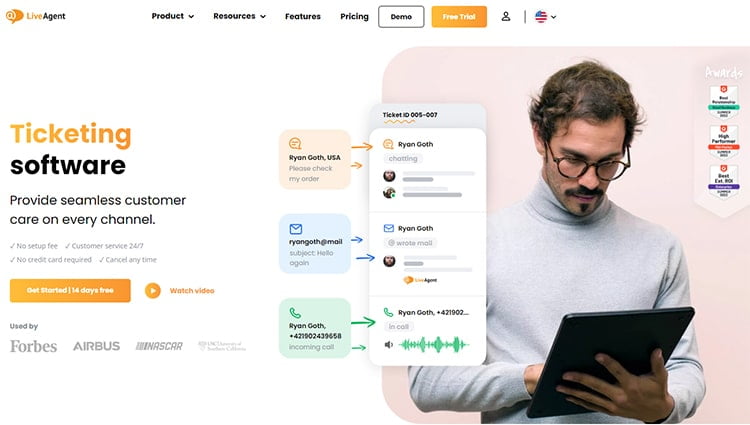
Live Agent offers comprehensive omnichannel support management with robust integration capabilities. While appearing as simple ticketing software, Live Agent provides far more through its advanced interface, enabling management of every aspect of customer service inquiries.
Key Strengths
Live Agent excels at connecting multiple communication channels into one unified system. You can integrate ticketing software with CRM platforms, accounting systems, live chat, and social media, eliminating the need for multiple systems and creating streamlined workflows.
The user-friendly and intuitive interface makes it easy for anyone to navigate and use. Whether handling minor inquiries or complex problems, Live Agent allows you to organize and reply to everything in one central location.
Core Features
Ticketing & Management
- Agent Collision Detection (prevents duplicate work)
- Agent Ranking and performance tracking
- Automated Ticket Distribution
- Canned Messages for quick responses
- Contact Form Gallery
- Email Forwarding
- Advanced ticket routing
Integrations
- CRM integration
- Accounting software integration
- Live chat capabilities
- Social media integration
- Webhook support
- API access
Automation
- Automated ticket distribution
- Workflow automation
- Canned responses
- Auto-assignment rules
Live Agent Pricing
Business Plans (Per Agent)
- Free: $0/agent
- Small: $9/agent/month
- Medium: $29/agent/month
- Large: $49/agent/month
Enterprise
- Enterprise: $69/agent/month
Best For
- Businesses with complex workflows
- Businesses needing robust integrations
- Companies prioritizing omnichannel support
- Growing teams requiring scalability
- Organizations needing live chat capabilities
👉 Learn How to Choose the Best WordPress Support Ticket Plugin for Your Business
Zoho Desk
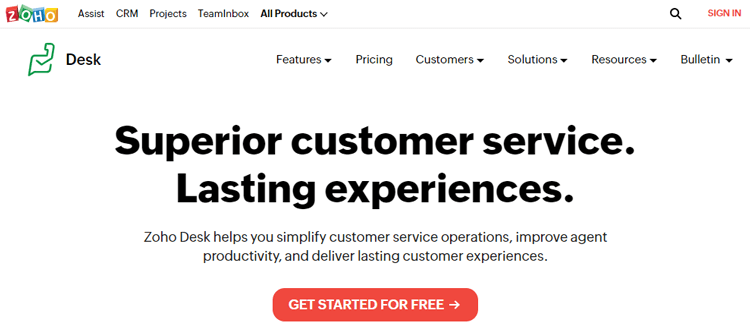
Zoho Desk provides comprehensive customer service software that stands out for businesses wanting to create better customer experiences. The platform offers support ticket organization, streamlined customer communication, and task automation with an intuitive knowledge base.
Why Zoho Desk Excels
Zoho Desk is reliable, efficient, and effective, offering robust features and a user-friendly interface. The intuitive knowledge base allows you to create a wealth of information resources for customers. Its comprehensive tools improve customer support while streamlining operations.
Core Features
Support Management
- Ticket Management with custom workflows
- Agent Productivity tools
- Automation capabilities
- Auto Tag Tickets for the organization
- Customer portal
- Knowledge base
Advanced Features
- Extensibility through integrations and APIs
- Strong security features
- Multi-channel support
- Analytics and reporting
- Customer satisfaction surveys
Integrations
- Salesforce integration
- HubSpot integration
- Slack notifications
- Zapier integration
- Custom API integration
Zoho Desk Pricing
Monthly Plans
- Standard: $20/user/month
- Professional: $35/user/month
- Enterprise: $50/user/month
Yearly Plans (Discounted)
- Standard: $14/user/month
- Professional: $23/user/month
- Enterprise: $40/user/month
Best For
- Teams wanting comprehensive features
- Small to medium-sized businesses
- Companies within the Zoho ecosystem
- Businesses prioritizing affordability
- Organizations needing customizable workflows
👉 Check The Importance of Implementing a WordPress Support Ticket System for Your Website
Freshdesk
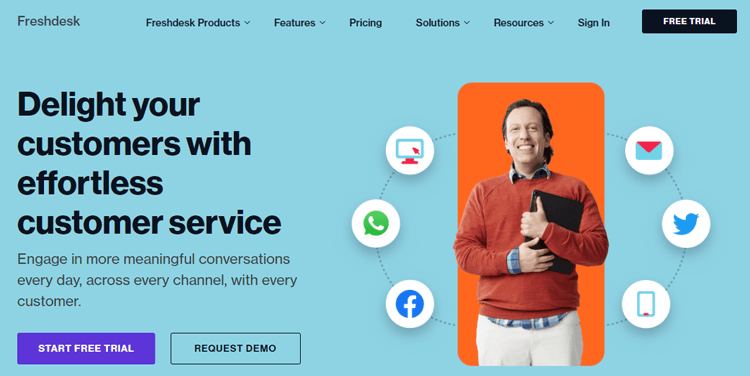
Freshdesk is a cloud-based help desk software platform offering enterprise-grade features at reasonable pricing. It’s particularly well-suited for growing businesses needing sophisticated omnichannel support without spending like an enterprise.
Why Teams Choose Freshdesk
Freshdesk excels at handling complex, multi-channel support environments. The platform manages email, live chat, phone, social media, and messaging apps from a single unified interface. Support agents work with complete customer context regardless of the communication channel.
The omnichannel approach consolidates messages from different sources into a single ticket thread. A customer’s email, chat, and phone call history all appear together, no fragmented information, no repeated explanations needed.
Key Features
Omnichannel Ticketing
- Email, live chat, phone, social media, messaging apps unified
- Intelligent ticket assignment and routing
- SLA management with automatic escalation
- Custom ticket statuses and fields
- Collision detection (prevents agent conflicts on same ticket)
- Time-triggered automation
- Batch ticket operations
Automation & AI
- Workflow automation across all plans
- Freddy AI Agent for automated ticket resolution
- Email AI Agent for smart responses
- Sentiment analysis on customer messages
- Smart automatic categorization
- Canned responses and templates
Customer Self-Service
- Customizable customer portal
- Knowledge base and FAQ
- Community forums
- Multi-language support
- Portal customization and branding
Reporting & Analytics
- Real-time dashboards
- Standard and custom reports
- Team performance metrics
- CSAT surveys and feedback
- Response time tracking
- First-response resolution rates
Integrations
- 500+ pre-built integrations
- Slack integration
- Salesforce and HubSpot CRM
- Zapier and Make automation
- Custom API integration
- Webhook support
Freshdesk Pricing
Monthly Plans (Higher Cost)
- Free: $0 (up to 10 agents, limited features)
- Growth: $19/agent/month (multi-channel support)
- Pro: $49/agent/month (advanced workflows)
- Enterprise: $79/agent/month (AI and premium features)
Annual Plans (17% Discount)
- Free: $0
- Growth: $15/agent/month (billed $180/year per agent)
- Pro: $49/agent/month (no additional discount)
- Enterprise: $79/agent/month (no additional discount)
Important: AI Add-Ons Cost Extra
- Freddy AI Agent: $100 per 1,000 ticket resolutions
- Email AI Agent: Pay-per-use pricing
Best For
- Companies with 10+ support agents
- Growing SaaS companies
- Businesses requiring omnichannel support
- Companies needing advanced automation
- Multi-language organizations
- Teams using Slack or Microsoft Teams
- Businesses wanting enterprise features at mid-market pricing
👉 View The Top Features to Look in WordPress Support Ticket Plugin
Help Scout
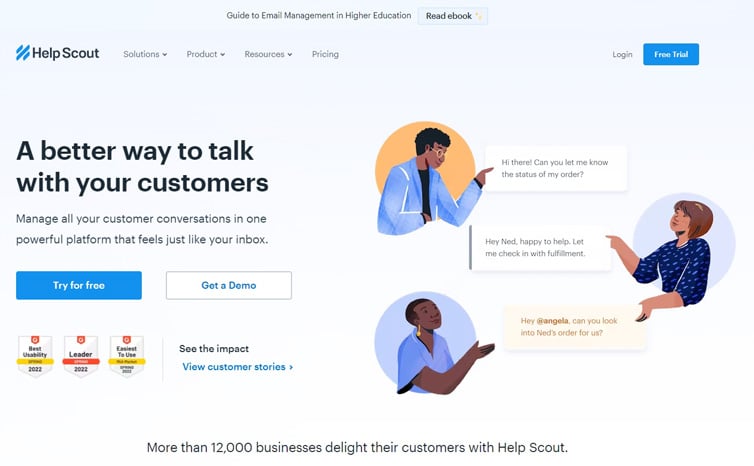
Help Scout prioritizes simplicity and elegance over feature abundance. It’s designed specifically for small support teams (1-15 agents) that value straightforward, intuitive interfaces and focus on building customer relationships.
Why Small Teams Choose Help Scout
Help Scout treats customer support as relationship-building, not transaction management. The shared inbox model feels more like collaborative email than traditional ticketing, which many small teams find natural and intuitive.
Every team member sees all customer conversations. There’s no complex assignment system or overwhelming customization—just simple collaboration focused on delivering excellent customer service.
Shared Inbox & Conversations
- Unified inbox for all customer communications
- Email conversation threading
- Internal comments and team collaboration
- @mention notifications
- Powerful conversation search
- Bulk operations
- Conversation assignment
Knowledge Base & Self-Service
- Easy knowledge base builder
- Public FAQ section
- SEO-friendly articles
- Search functionality
- Custom branding options
- Article analytics
Reporting & Insights
- Conversation analytics
- Agent performance metrics
- Response time tracking
- CSAT surveys
- Resolution rates
- Custom report builder
Integrations
- 100+ available integrations
- Slack, Mailchimp, Zapier
- Salesforce and HubSpot CRM
- Custom API access
- Webhook support
Help Scout Pricing
Help Scout uses flat monthly rates (not per-agent), making costs predictable:
- Standard Plan: $20/month (up to 3 agents, yearly pricing)
- Plus Plan: $40/month (up to 6 agents)
- Pro Plan: $65/month (up to 15 agents)
- Enterprise: Custom pricing for 15+ agents
Note: No free plan available, but 15-day free trial included.
Best For
- Small support teams (1-15 agents)
- Service-based businesses
- Consultancies and agencies
- Early-stage startups
- Teams prioritizing ease of use
- Companies want flat, predictable pricing
- Businesses seeking a quick setup (1-2 hours)
👉 Learn How to Customize Your WordPress Support Ticket Plugin to Match Your Brand: A Comprehensive Guide
HelpDocs
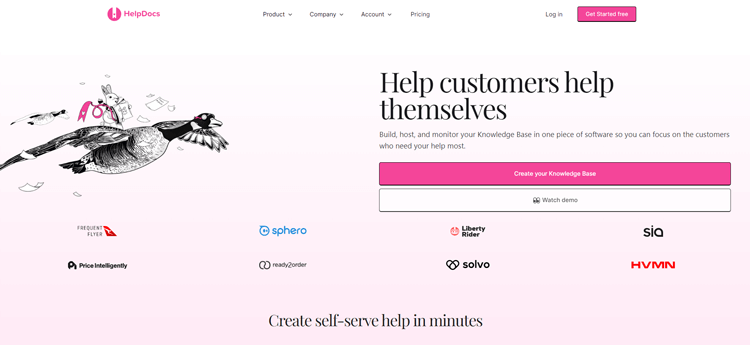
HelpDocs is a stand-alone knowledge base software offering a user-friendly interface, allowing you to easily set up your first knowledge base without setbacks. Its transparent pricing model ensures no hidden fees, making it ideal for businesses prioritizing customer self-service.
Why HelpDocs Stands Out
HelpDocs is considered the best Zendesk alternative by many professionals with impressive features and reliable performance, quickly gaining popularity among businesses of all sizes. With impeccable search functionality, customers easily find information they need, making experience efficient and enjoyable.
The algorithm used by HelpDocs is next-level—being typo-tolerant and lightning-fast, delivering highly accurate results helping customers with inquiries in mere moments. It has become go-to solution for those seeking best possible service for their customers.
Core Features
Knowledge Base
- Intuitive knowledge base builder
- Beautiful, modern interface
- Powerful search functionality
- Typo-tolerant search algorithm
- SEO-optimized articles
- Version control and article history
Advanced Features
- API Support for integrations
- Custom Domain support
- Permissioning and access control
- Multilingual/Machine Translations
- Single Sign On (SSO)
- Analytics and reporting
Organization
- Categories and subcategories
- Tags for better organization
- Collections for grouping
- Custom navigation
- Customizable design
HelpDocs Pricing
Monthly Plans
- Start Plan: $69/month
- Build Plan: $139/month
- Grow Plan: $279/month
Annual Plans (Discounted)
- Start Plan: $55/month
- Build Plan: $109/month
- Grow Plan: $219/month
Best For
- Businesses requiring beautiful knowledge base design
- Businesses prioritizing knowledge base
- SaaS companies with self-service focus
- Organizations with large customer bases
- Companies wanting to reduce support tickets through self-service
HappyFox
HappyFox is another of the best Zendesk alternatives for organizations seeking to reduce chaos and bring order to their customer support process. With a robust support ticket system, self-service knowledge base, and community forums, HappyFox offers a comprehensive package streamlining the support process and reducing support costs.
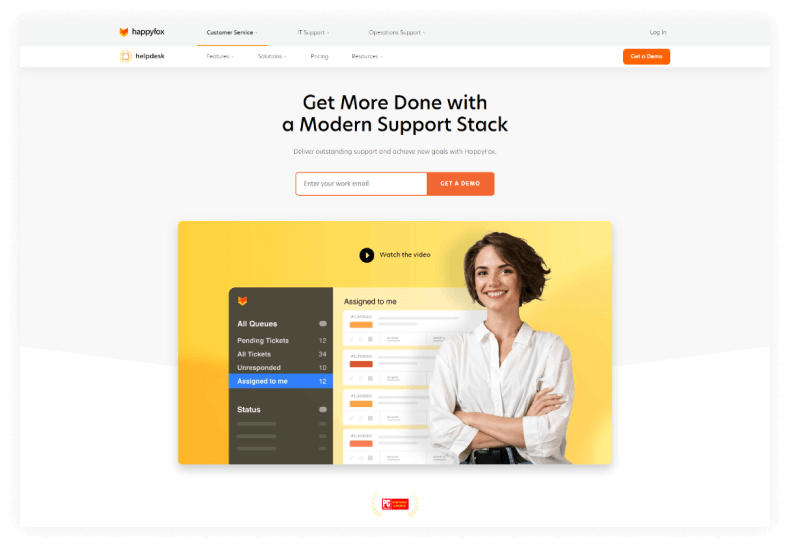
WWhy HappyFox Excels at Automation
HappyFox facilitates team collaboration and communication, enabling support teams to provide quick and efficient support. Its ease of use and flexibility make it ideal for businesses improving their customer support experience. What sets HappyFox apart as best Zendesk alternative is its ability to automate repetitive tasks with canned actions.
Pre-written scripts help improve accuracy and reduce time employees spend on tasks, ultimately improving overall efficiency. With HappyFox, companies streamline their support operations and focus on delivering exceptional customer experiences.
Core Features
Ticketing System
- Robust support ticket system
- Ticket routing and assignment
- Custom workflows
- Automation capabilities
- Canned Actions for repetitive tasks
- Task Management
Knowledge Management
- Self-service knowledge base
- Community forums
- Customer portal
- Multi-language support
- SEO-optimized articles
Automation & Efficiency
- Canned actions for automation
- Workflow automation
- SLA management
- Time-triggered actions
- Task automation
Reporting
- Satisfaction surveys
- Performance analytics
- Team metrics
- Ticket analytics
- Reporting dashboard
HappyFox Pricing
Agent-Based Pricing
Monthly Plan
- Starts with $39 per agent/month
Annual Plan
- Starts with $29 per agent/month
2 Year Saving Plan
- Starts with $26 per agent/month (Paid Upfront)
3 Year Contract
- Starts with $27 per agent/month (Billed Annually)
Unlimited Agents Pricing
Annual Agent
- Starts with $1,499/month
2 Years Saving Plan
- Starts with $1,149/month (Paid Up-Front)
3 Year Contract
- Starts with $1,299/month (Billed Annually)
Best For
- Organizations needing robust workflows
- Businesses prioritizing automation
- Organizations seeking efficiency improvements
- Companies with repetitive support tasks
- Teams wanting to reduce support costs
- Businesses focusing on task management
Support Genix
WordPress Support Ticket Plugin
Take Your Customer Support to The Next Level and Boost Customer Satisfaction Rates
Tips for choosing the best help desk solution for your business
As businesses continue to grow, customer service needs also increase. Choosing the best help desk solution can be overwhelming, but it is a crucial decision for your business. To ensure that your customer support is efficient and effective, you need a platform that can handle your incoming support requests and manage your customer interactions.
Here are a few tips for choosing the best help desk solution for your business-
- Evaluate the features and capabilities of each help desk solution to determine which ones align with your business needs.
- Consider the scalability of the help desk solution and whether it can grow and adapt to your business over time.
- Look for a solution with analytics reporting capabilities to track the effectiveness of your customer support efforts.
- Choose a help desk solution that offers multichannel support (e.g., email, phone, live chat) to meet the needs of your customers
- Consider the security features offered by the help Desk solution, especially if you handle sensitive customer data
- Look for a vendor with a strong track record of success and is transparent about their data policies and security measures
- Test out each help desk solution with a trial period or demo to ensure that it meets your expectations and is user-friendly for your team.
Frequently Asked Questions
What are the factors to consider when choosing a Zendesk alternative?
The factors to consider when choosing a Zendesk alternative include pricing, features, integrations, scalability, customer support, training, security, and industry-specific capabilities.
Can these Zendesk alternatives integrate with other tools and platforms?
Yes, most Zendesk alternatives offer integrations with other tools and platforms, such as CRM software, social media, and eCommerce platforms.
Is customer support offered when switching from Zendesk to an alternative solution?
Yes, most Zendesk alternatives offer customer support and resources for businesses transitioning from another help desk solution.
How can I compare pricing plans for Zendesk alternatives?
To compare pricing plans for Zendesk alternatives, you should consider factors such as the number of agents, features included, and additional services like onboarding and training. You may also want to take advantage of free trials or demos to test out the solutions.
Can I migrate my existing Zendesk tickets to an alternative platform?
Yes! Most platforms support ticket migration via CSV export. Migration typically takes 2-8 hours depending on ticket volume. Always test with sample data first to ensure smooth transfer of your historical data.
How much training will my team need for a new help desk platform?
Training time varies by platform. Simple platforms like Help Scout and Support Genix require 1-2 days of onboarding. Complex platforms may need 1-2 weeks. Most teams become productive within 3-5 days with proper guidance and resources.
Should I choose the free plan or upgrade to paid immediately?
Free plans work well if you have 1-3 agents and basic support needs. Upgrade to paid when you need advanced automation, multiple integrations, or have more than 3-5 agents. Most platforms offer 15-day free trials to test features before committing.
What happens if I want to switch back to Zendesk later?
Switching back requires exporting data from your new platform, reformatting it for Zendesk import, rebuilding all workflows, and retraining your team. Plan for 40-80 hours of implementation time. Request data export before migrating.
Are these alternative platforms secure for customer data?
Yes. All platforms are SOC 2 Type II certified, GDPR compliant, and use SSL/TLS encryption. Support Genix offers unique security advantages being self-hosted—data stays on your server under your complete control.
Final thoughts on finding the right help desk solution for you
As you conclude your search for the perfect help desk solution, it is important to reflect on your unique needs and expectations. While Zendesk is a popular option, it may not be the best fit for everyone. Perhaps you require a more customizable platform or need streamlined integrations with other software.
Choosing a Zendesk alternative can reduce your costs by 50-90%, improve team satisfaction, and create better customer experiences. The key is choosing the platform that matches your specific needs, not generic rankings.
Whatever your specific requirements may be, take the time to research and compare all of your options. Keep an open mind and focus on finding the Zendesk alternatives that will enhance your team’s productivity and ultimately improve your customer support efforts.