
How to Migrate Your Knowledge Base from BetterDocs to SupportGenix
SupportGenix allows you to seamlessly migrate your existing documentation from BetterDocs to its integrated Knowledge Base system. The built-in migration tool transfers your docs, categories, and tags while preserving permalink structures (slugs) for consistent SEO performance. This ensures a smooth transition without losing content organization or search visibility.
⚠️ Important Notes Before Migration
- Migration is permanent and cannot be undone.
- Up to 100 docs (posts) can be migrated at a time. If you have more than 100 docs, run the migration multiple times.
- Backup your site before proceeding.
Step-by-Step Guide to Migrate from BetterDocs
Step: 1 Navigate to Migration Tool
- Go to your WordPress Dashboard.
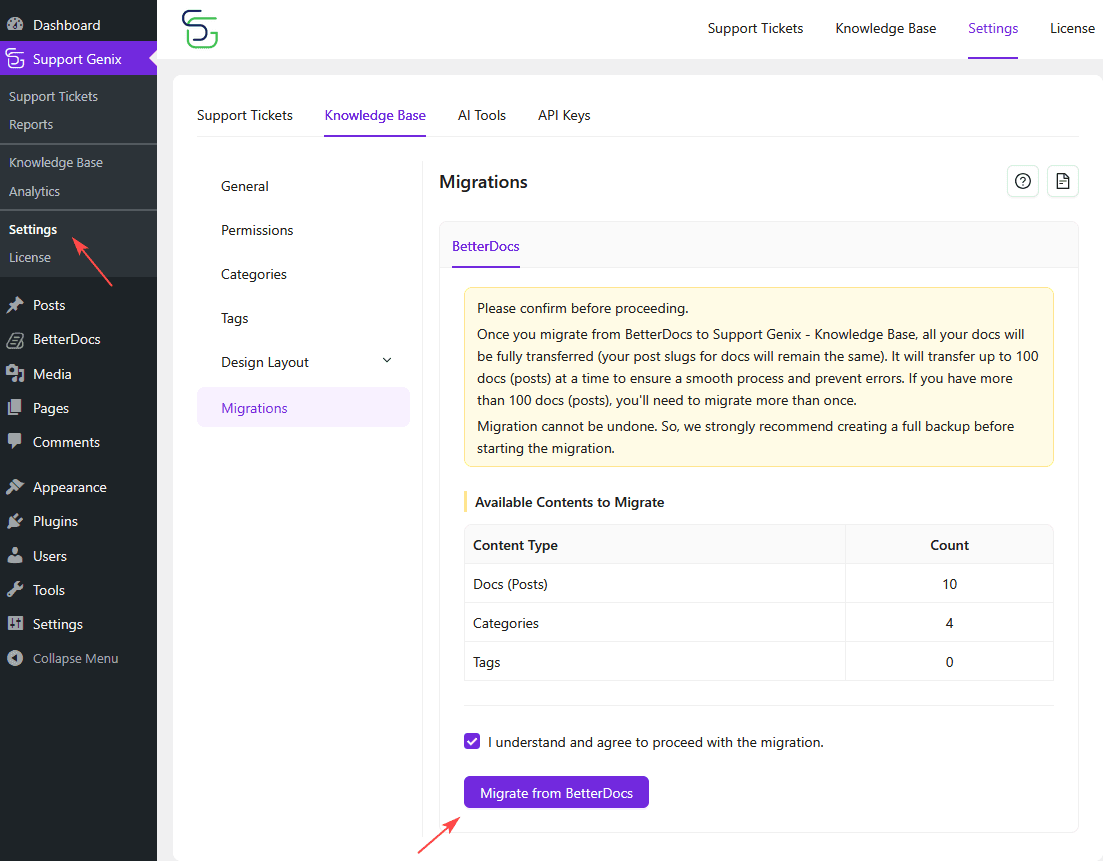
- Click on SupportGenix > Settings > Knowledge Base > Migrations.
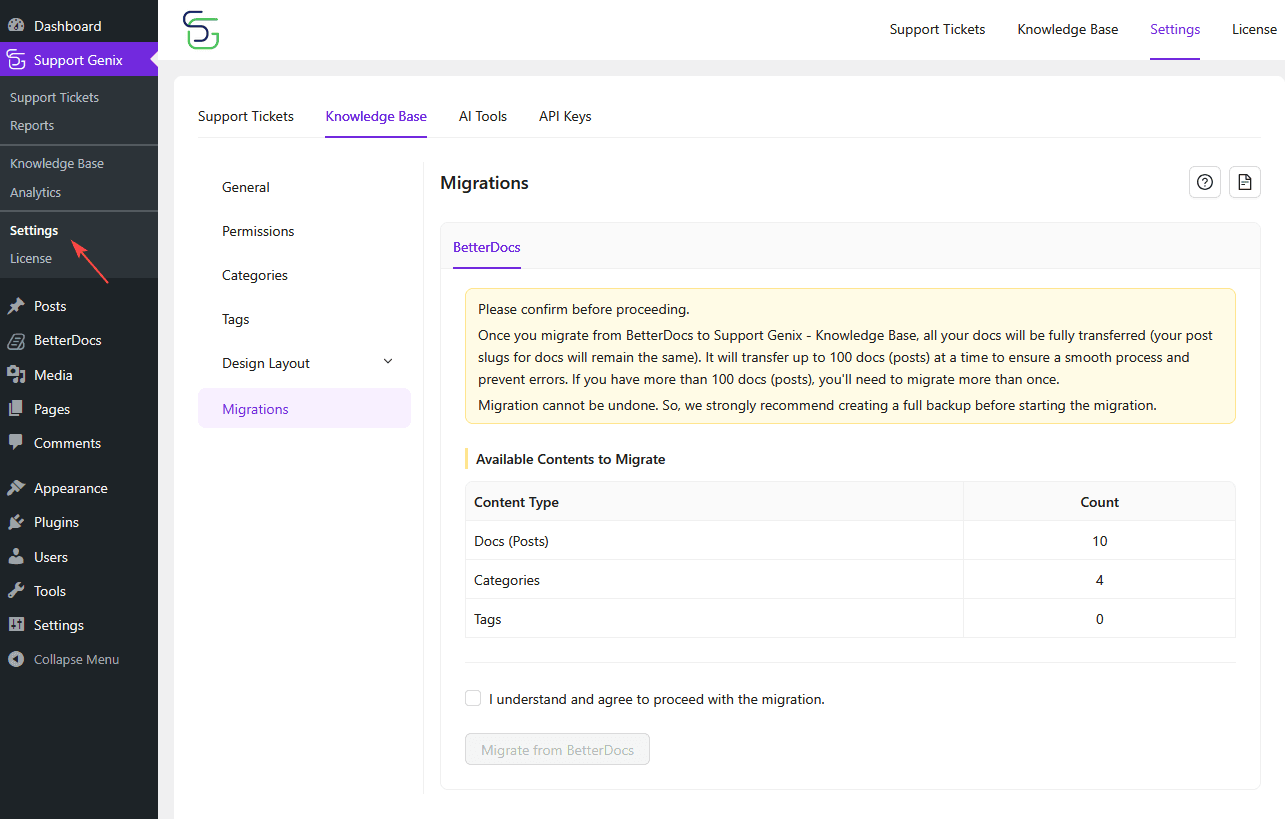
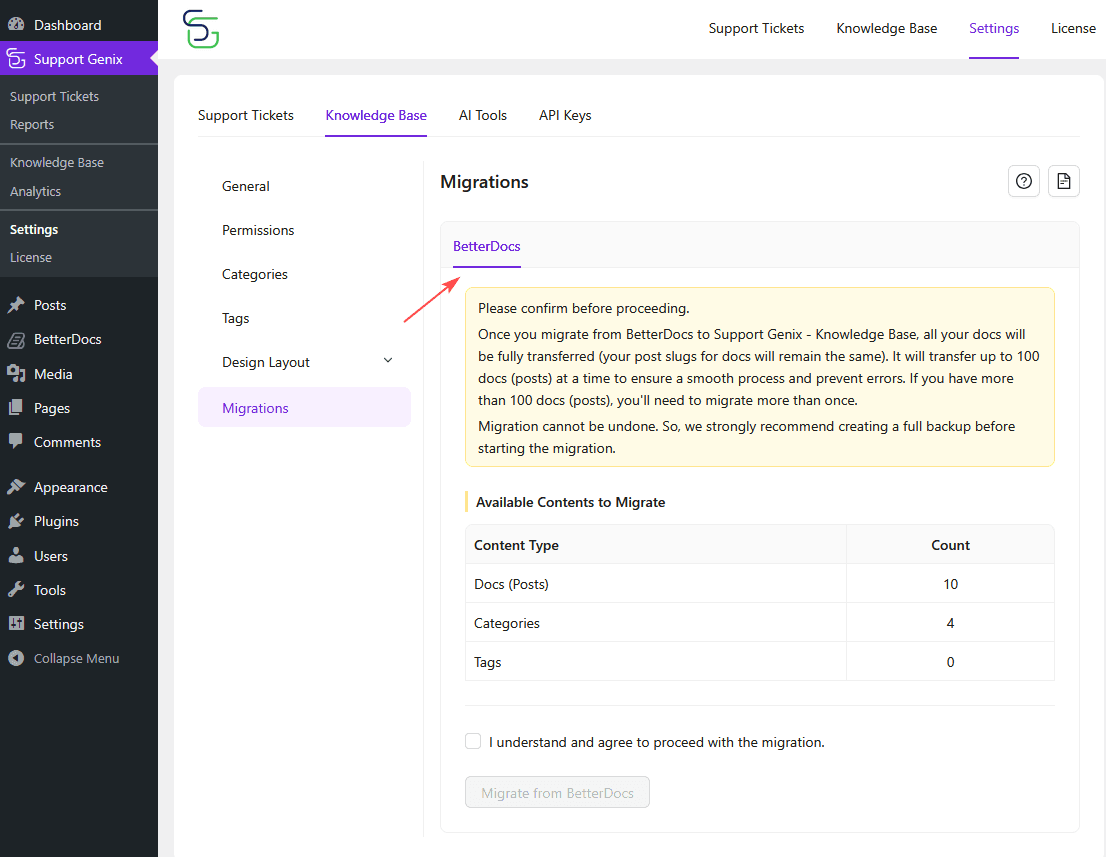
Step: 2 Select Source: BetterDocs
- You’ll see the BetterDocs tab selected by default.
- If there are eligible posts, they will be listed under: Docs (Posts), Categories, Tags.
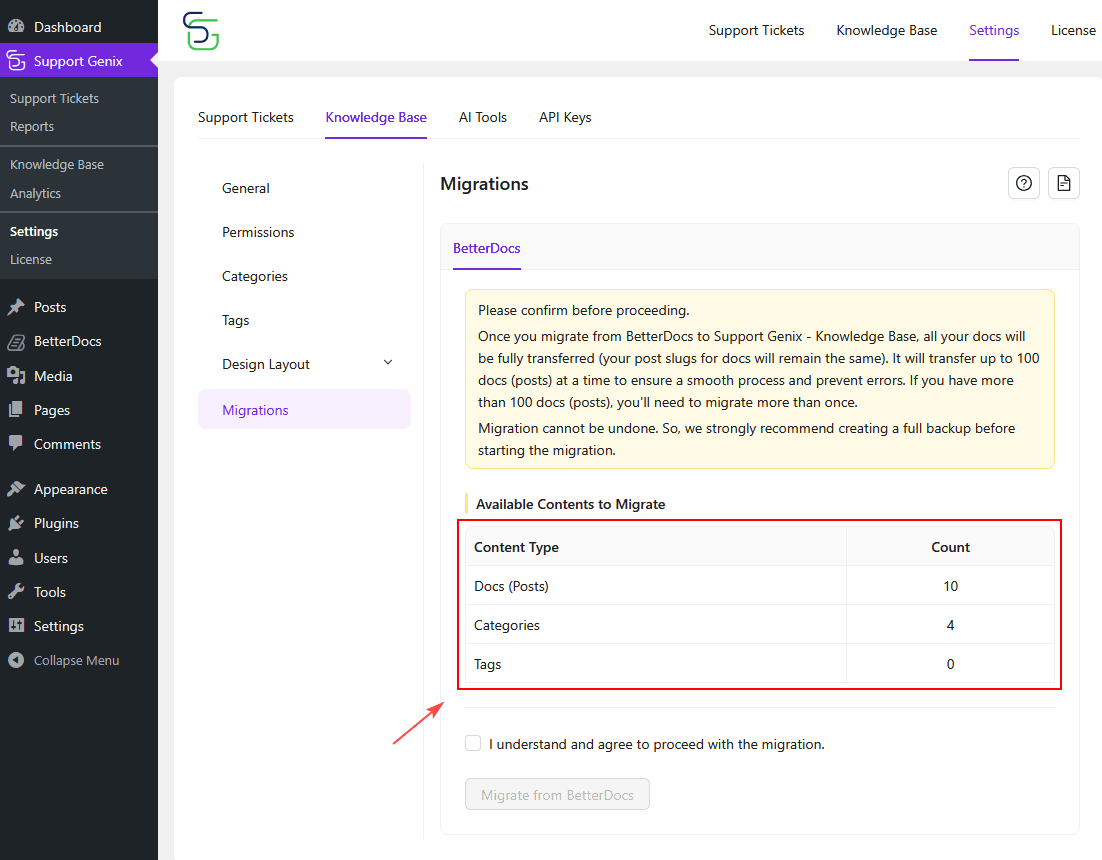
Step 3: Review Available Content
- The system will automatically count and display the number of items available for migration.
- If all values show 0, it means there’s nothing to migrate.
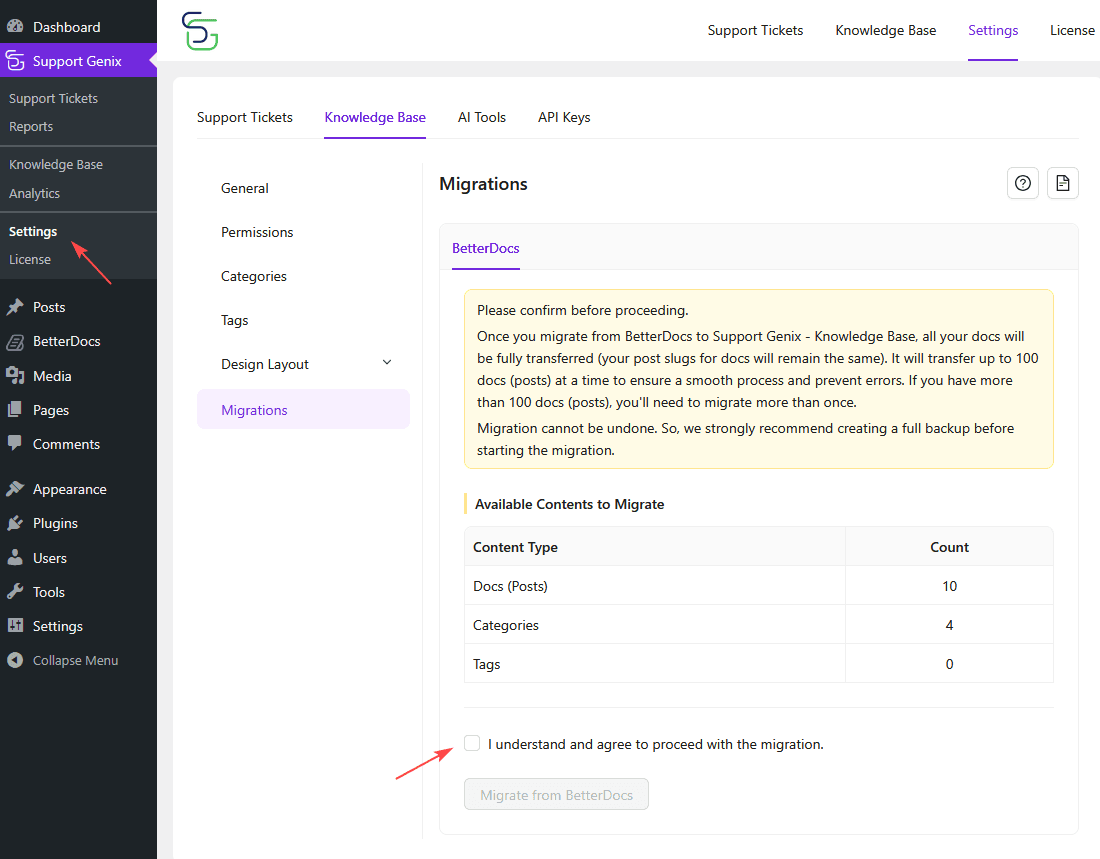
Step 4: Confirm & Agree
- Check the box: “I understand and agree to proceed with the migration.”
Step 5: Start Migration
- Click on the “Migrate from BetterDocs” button.
- The process will begin and transfer your docs, categories, and tags to Support Genix.
What Happens After Migration?
- Your articles (with slugs), categories, and tags will now be available in Support Genix.
- The design and display of articles will follow your configured Design Layout settings.
- You can now manage and edit all your docs from the Support Genix interface.
Troubleshooting & Tips
- No Docs Found?
Double-check that BetterDocs content exists and is published. - If you have more than 100 docs, you can migrate them in multiple batches—up to 100 at a time.
Run the migration again to capture the rest. - Need a Backup?
Use a plugin like UpdraftPlus or your hosting control panel to create one.
🎉 Congratulations!
You’ve successfully migrated your knowledge base to Support Genix!
Enjoy a faster, more flexible, and AI-ready documentation system — all in one place.
Last updated on December 22, 2025
Was this article helpful?
Powered by Support Genix