
How to add a new Language using Loco Translate
Aslam Hasib
October 31, 2022
1 min read
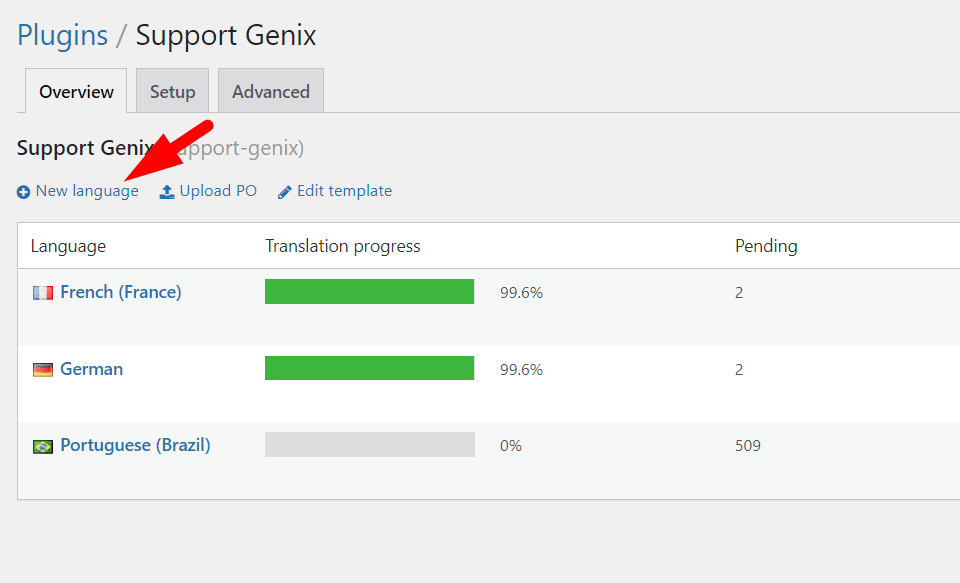
Go to Loco Translate > Plugins > Support Genix > New Language
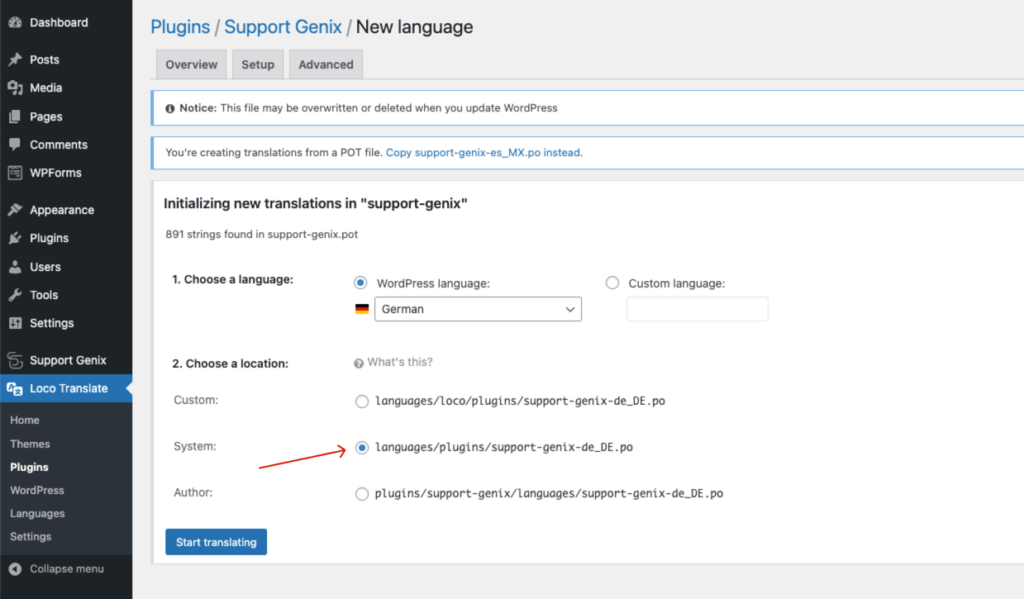
Choose a Language and Start Translating
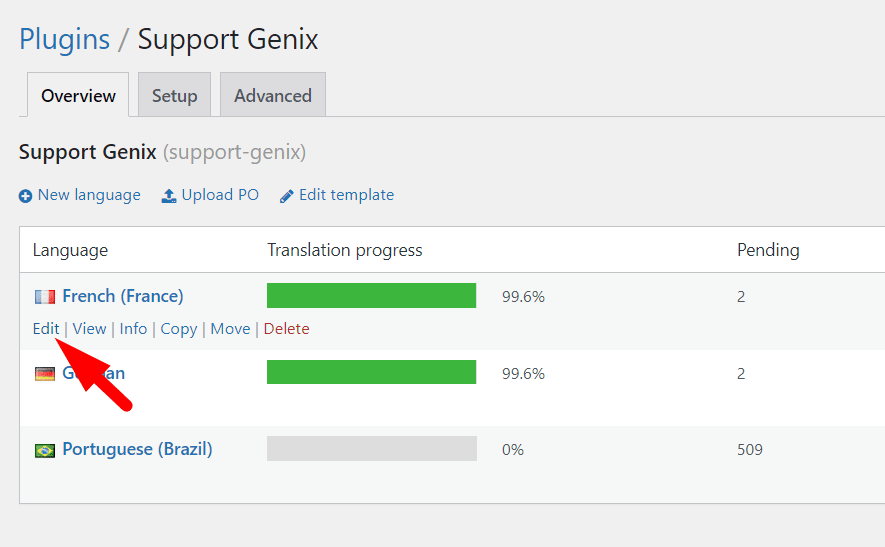
Edit Language
Last updated on March 15, 2026
Was this article helpful?
Powered by Support Genix
Related Articles
Troubleshooting Common Issues in Support Genix
A guide to diagnosing and fixing the most common problems in Support Genix. Start here…
Read moreAllow Users to Create Tickets Without Registration
If you want your customers to create tickets without logging in or registering, you can…
Read moreFrequently Asked Questions (FAQ)
Answers to the most common questions about Support Genix. General Can I use Support Genix…
Read moreSupport Genix Refund Policy
At Support Genix, your satisfaction is our top priority. We’re dedicated to providing a clear,…
Read more